What Should a Customer Tracking Link Show? A Checklist for Service Teams
A checklist for the live tracking page you send with an on-my-way text: what to show, what to hide, when location sharing should start and stop, and why.
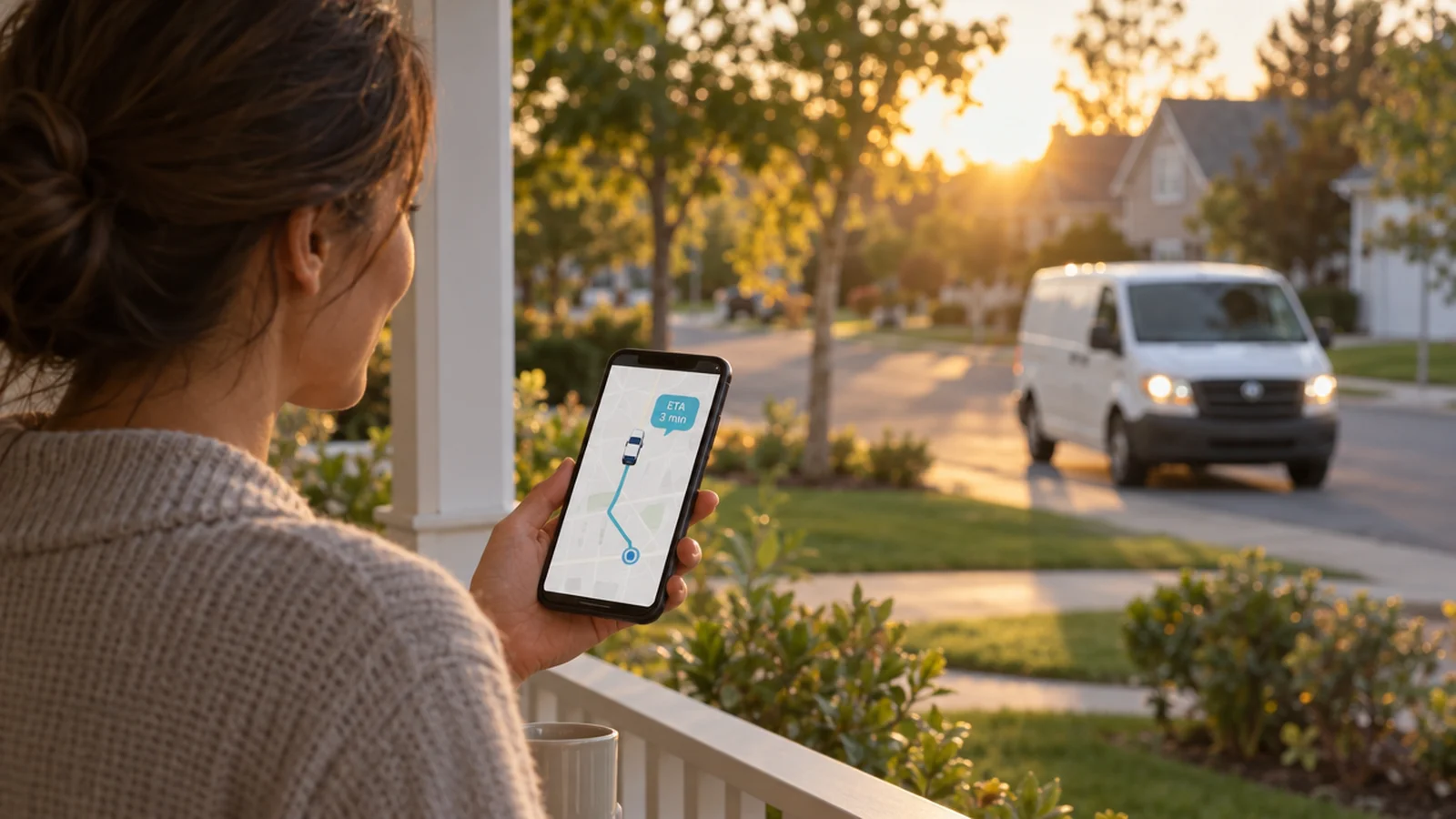
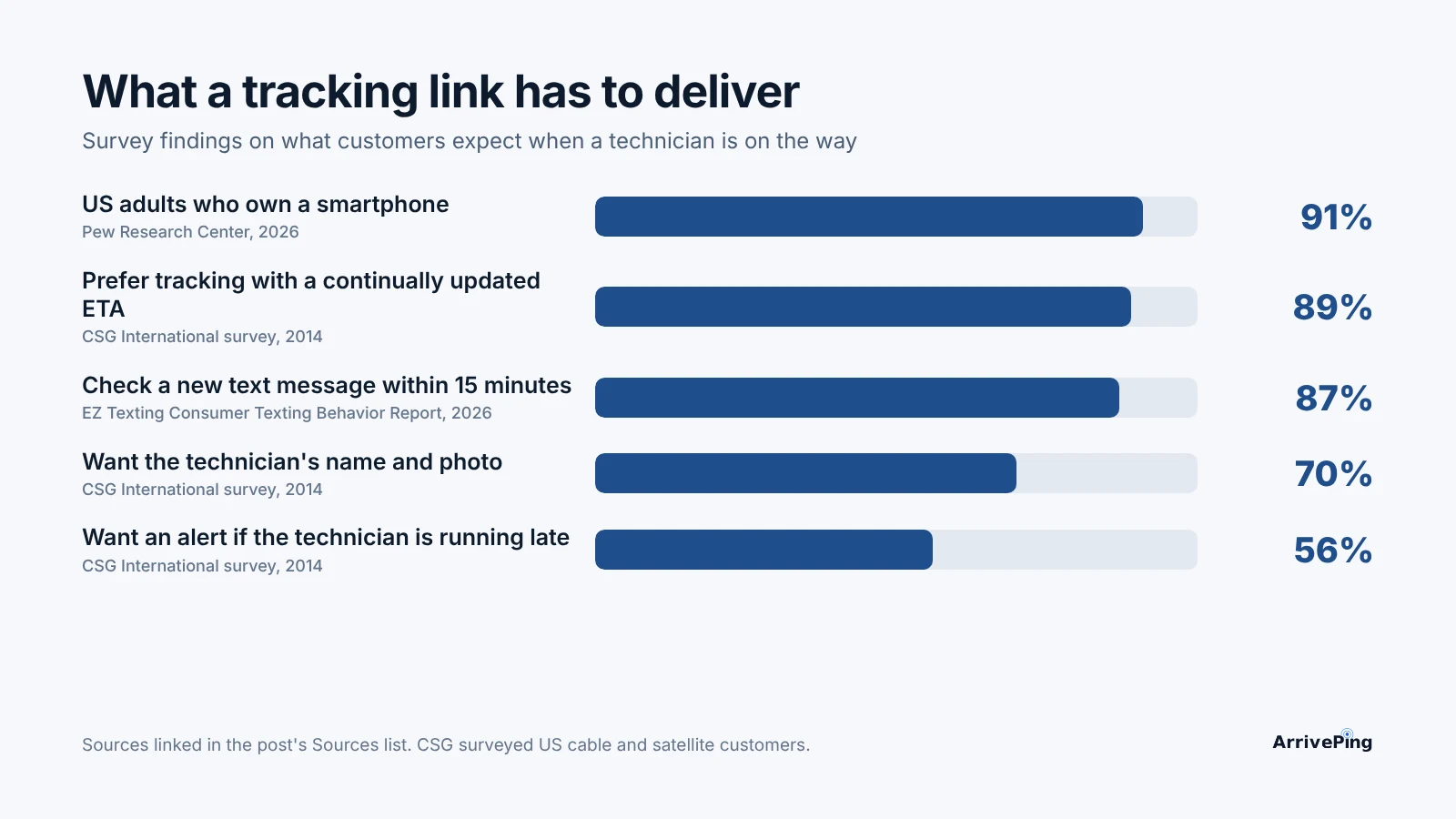
A customer tracking link should answer four questions on one phone screen, without an app: who is coming, where they are now, when they will arrive, and how to reach them. It should show a live map and an ETA that updates as the technician drives, the technician's name, the job it belongs to and one-tap text or call buttons, and it should share location only for that one trip: from the moment the technician marks themselves on the way to that customer, until they arrive. When CSG surveyed U.S. consumers, 89% preferred an "Uber-like" tool showing the technician's location and "continually updated estimated arrival times" (CSG, 2014).
What do customers expect to see when they open the link?
The customer opening your link is usually in the kitchen, half-watching the street, deciding whether there's time to run an errand. What they want to see has been stable for a decade.
- Where the technician is, and an ETA that moves. In CSG's survey of 400 U.S. consumers about cable and satellite technician visits, 89% preferred a tool that "provides technician location and continually updated estimated arrival times" (CSG, 2014). The operative word is continually: a fixed time is just the on-my-way text again.
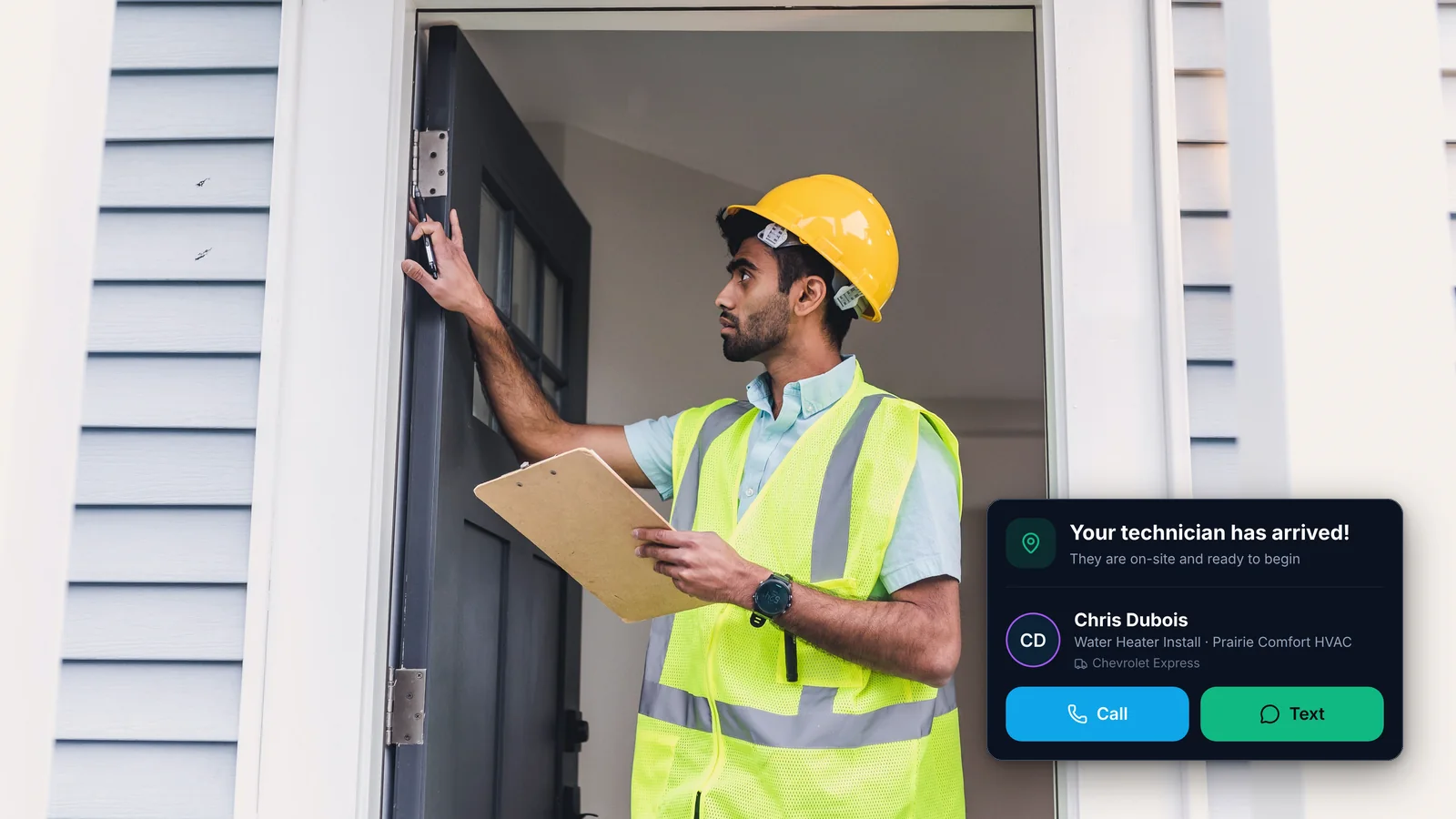
- Who is coming. The same survey found 70% wanted to see the technician's name and photo. A stranger at the door is a stranger; a named person they watched drive over is the person they were expecting.
- Warning when the day slips. 56% of CSG's respondents wanted a mobile alert if the technician was running late. The tracking page is where that alert should point.
- Precision is now normal everywhere else. Avery Dennison's 2025 survey of 5,000 consumers in the U.S., UK, France and Germany found delivery delays were shoppers' number one frustration, and 61% were willing to pay a premium for more detailed order tracking (Avery Dennison, 2025). Your customers compare your arrival to their parcels, not to other plumbers.
The CSG survey is from 2014 and covered cable and satellite visits; it is the most direct consumer study of in-home technician tracking we could verify, and live tracking has only become more normal since. We covered why a live ETA matters in real-time ETA updates; this post is about the page itself.
Where and how will the customer open it?
On a phone, in a browser, from a text message. Design for that and nothing else first.
- They will open it on a phone. Pew Research Center's 2026 survey of 5,511 U.S. adults found 91% own a smartphone (Pew Research Center, 2026).
- They will open it quickly. EZ Texting's 2026 survey of 959 U.S. consumers found 87% check a new text within 15 minutes, and texting is the preferred channel for appointment reminders (65%) (EZ Texting, 2026). That is a vendor survey, but it matches every other texting study we have seen.
- They will leave if it is slow. Google analyzed millions of page impressions and found that when sites met its Core Web Vitals thresholds, "users are 24% less likely to abandon page loads" (Chromium Blog, 2020). A tracking page is opened on cellular data, mid-task. Every extra script, font and tracker costs you.
Those three facts settle the biggest design question: no app download, no login, no account. A customer who taps the link and gets an app-store page or a sign-in screen calls the office instead, which is the call the link existed to prevent.
When should the customer see the technician's location, and when should they stop?
Location data is personal information about your employee. Canada's privacy commissioners showed how badly location collection can go when they investigated the Tim Hortons app in 2022: users "had their movements tracked and recorded every few minutes of every day, even when their app was not open." Privacy Commissioner Daniel Therrien called it "clearly an inappropriate form of surveillance," and the investigation found the collection "was not proportional" to the benefit the company hoped to gain (Office of the Privacy Commissioner of Canada, 2022). That case was about customers' locations, but its test, proportionality, is the right one for a tracking link too.
A proportional rule is simple to state:
- Start sharing only when the technician marks themselves on the way to that specific job. Not when they clock in, not when the previous job ends, and never as a view of their whole route. The customer at stop four does not need to watch the technician at stops one to three.
- Show progress toward that one address only. No other customers' addresses, no list of the day's jobs, no breadcrumb trail of where the van has been.
- Stop sharing the moment the technician arrives. After arrival the page can still confirm that the technician is there and show the job details, but the live location is gone.
- Make sure the link does not work as a permanent window. A link forwarded to a neighbor or opened next week should show nothing live.
A tracking page also has no reason to ask for the customer's location.
Can everyone actually read and use the page?
A tracking page is a public web page for every kind of customer, and a meaningful share of them have a disability. Statistics Canada's 2022 Canadian Survey on Disability found that 27% of Canadians aged 15 and older, 8.0 million people, had one or more disabilities that limited their daily activities (Statistics Canada, 2023).
The Web Content Accessibility Guidelines (WCAG 2.2) give you measurable targets at Level AA:
- Contrast. Text needs "a contrast ratio of at least 4.5:1" against its background, or 3:1 for large text (W3C, Understanding SC 1.4.3). Grey ETA text read in sunlight on a driveway fails people long before it fails the guideline.
- Button size. Tap targets should be "at least 24 by 24 CSS pixels," or spaced so they can't be mis-tapped (W3C, Understanding SC 2.5.8). Make the call and text buttons generous.
- Zoom without sideways scrolling. Content must work at a width equivalent to 320 CSS pixels without scrolling in two directions (W3C, Understanding SC 1.4.10).
- Say it in words, not only on the map. The ETA and status ("On the way, about 12 minutes") should be text a screen reader can announce, not something the customer has to infer from a moving dot.
The checklist: what to show and what not to show
| Element | Show | Don't show | Why |
|---|---|---|---|
| Location | The technician's live position on a map while they drive to this customer | Their position before they're on the way, after arrival, or on the way to other customers | Customers want to see progress; technicians are entitled to proportional collection |
| ETA | A time that recalculates as the technician moves, written in words | A fixed time copied from the schedule, or a four-hour window | 89% of consumers in CSG's survey wanted a continually updated ETA |
| Who's coming | The technician's first name, plus a photo if your team agrees to it | Surname, personal mobile number, home base | 70% want name and photo; nobody needs a personal number |
| The job | Your company name and logo, the service and the appointment | Pricing internals, notes meant for the crew, other customers' details | The customer should know this link is real and about their visit |
| Contact | One-tap text and call buttons that reach the technician or the job | A bare personal number, or "call the office" as the only option | Gate codes and parking questions shouldn't go through dispatch |
| Running late | The new time and a reason to trust it, sent before the customer notices | A dot that stops moving with no explanation | 56% want a late alert; silence is what turns a delay into a complaint |
| Access | Opens in any phone browser from the text | App download, login, account creation or a request for the customer's location | Every extra step sends the customer back to the phone |
| After arrival | "Your technician has arrived," the job details | A live map | Sharing ends when the trip ends |
What should the page do when the technician is running late?
A late technician is not the failure; a late technician the customer discovers by staring at a frozen dot is. The 4-hour window persists because many teams would rather promise vaguely than admit a delay precisely. Handle it in three steps:
- Catch it in the office first. The dispatcher should see the job slipping before the customer does, and have a chance to reassign or reshuffle.
- If nobody acts, tell the customer automatically. A short message with the new time, linked to the same tracking page, so the map and the text agree.
- Give them a way to say "that no longer works." A reply or a button on the page that reaches someone who can rebook, not a dead-end notification.
Playbook: audit your own tracking link this week
- Open your own link on a phone, on cellular, outside. Time how long until the ETA is readable.
- Check when location starts and stops. Mark a test job "on the way," watch the page, then mark arrival. If the map showed the technician before they left, or keeps updating after arrival, fix that first.
- Forward the link to a colleague the next day. It should show nothing live.
- Tap every button with your thumb. Call, text, reply. Each one should reach the right person without exposing a personal number.
- Set your phone's text size to the largest and try a screen reader for one minute. Can you still read the ETA and find the call button?
- Simulate a late job. Push a test job past its window and see what the customer receives, and when.
If you are still deciding whether you need software for any of this, start with does your business need field service software?, and if the worry is the rollout, how long field service software takes to set up.
How ArrivePing does this
ArrivePing is field service software made by NVC360 in Winnipeg, Manitoba. It began as the dispatch tool for National Interiors, a specialty subcontractor that ran more than 800 field technicians, and the customer tracking page is built on the rules above.
- The link goes out when the technician taps Start Driving. The customer gets a text (or email) with your business name, the technician's first name and the link, in wording drafted in your voice and editable any time (on-my-way text).
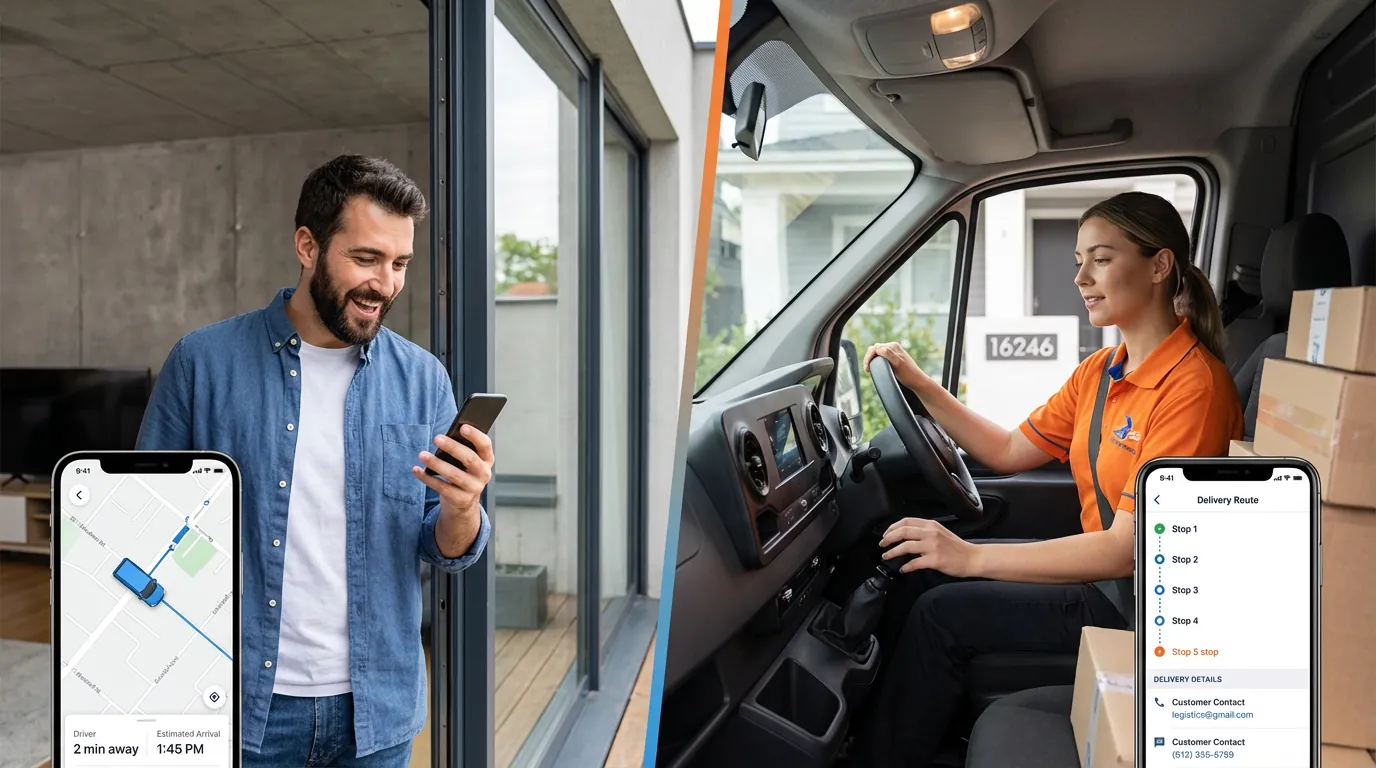
- The page shows the technician moving on a map with a live ETA, your logo and colors, and buttons to text or call the technician without exposing a personal number. Customers can also send a message that stays with the job, so the office sees it too. It opens in any phone browser; there is no app and no account to create.
- Location is shared only while the technician is traveling to that customer's appointment, from the moment they mark themselves on the way. A geofence marks arrival, and location sharing with the customer stops there. Opened after arrival, the page shows that the technician has arrived, with the job details, time and cost.
- Running-late notices are automatic. When a job is slipping, dispatch is flagged first and the customer is told the new time if nobody acts (customer notifications).
- No hardware. Location comes from the ArrivePing app on the phone your technicians already carry (technician GPS tracking). Live customer arrival pages are included in every plan, from $49 USD a month for one dispatcher and two drivers, with a 30-day free trial.
When ArrivePing isn't the right choice: if what you need from location is engine diagnostics, fuel data or driver-behavior scoring, a dedicated telematics product does that well, and ArrivePing can sit alongside it. ArrivePing ties location to the job and the customer's arrival, not to the vehicle.
FAQ
What should a customer tracking link show?
A live map of the technician driving to the customer's address, an ETA that updates as they move, the technician's first name, your company name and the appointment, and one-tap buttons to text or call. It should open in a phone browser with no app or login, and stop sharing location when the technician arrives.
When should a customer be able to see the technician's location?
Only while the technician is traveling to that customer's job: from the moment they mark themselves on the way until they arrive. Anything more collects more than the customer needs, the proportionality test Canada's privacy commissioners applied in their 2022 Tim Hortons app investigation.
Should customers have to download an app to track the technician?
No. 91% of U.S. adults own a smartphone and most read a text within minutes, so a link that opens in the phone's browser reaches nearly everyone. An app download or login sends them back to calling the office.
What makes a tracking page accessible?
Follow WCAG 2.2 Level AA: text contrast of at least 4.5:1, tap targets of at least 24 by 24 CSS pixels, content that works zoomed to a 320-pixel width, and an ETA written in words a screen reader can announce. In Canada, 27% of people aged 15 and older report a disability that limits daily activities.
What should happen if the technician is running late?
The office should see the delay first. If nobody fixes it, the customer should get a short message with the new time that links to the same tracking page, plus a way to say the new time doesn't work. In CSG's survey, 56% of consumers wanted an alert when a technician was running late.
Sources
- CSG International, CSG Releases Survey Results on In-Home Customer Service (survey of 400 U.S. consumers), November 2014. https://ir.csgi.com/press-releases/press-release-details/2014/CSG-Releases-Survey-Results-on-In-Home-Customer-Service/default.aspx
- Avery Dennison, Online shoppers crave control: Lack of exact delivery windows are now a deal-breaker, research finds (survey of 5,000 consumers in the U.S., UK, France and Germany), June 25, 2025. https://www.averydennison.com/en/home/news/press-releases/online-shoppers-crave-control.html
- Pew Research Center, Mobile Fact Sheet (National Public Opinion Reference Survey of 5,511 U.S. adults, Jan. 30–June 18, 2026). https://www.pewresearch.org/internet/fact-sheet/mobile/
- EZ Texting, 2026 Consumer Texting Behavior Report (survey of 959 U.S. consumers), April 14, 2026. https://www.eztexting.com/press/press-releases/2026-consumer-texting-behavior-report
- Chromium Blog, Google, The Science Behind Web Vitals, May 2020. https://blog.chromium.org/2020/05/the-science-behind-web-vitals.html
- Office of the Privacy Commissioner of Canada, Tim Hortons app violated privacy laws in collection of 'vast amounts' of sensitive location data, news release, June 1, 2022. https://www.priv.gc.ca/en/opc-news/news-and-announcements/2022/nr-c_220601/
- Statistics Canada, The Daily: Canadian Survey on Disability, 2017 to 2022, December 1, 2023. https://www150.statcan.gc.ca/n1/daily-quotidien/231201/dq231201b-eng.htm
- W3C Web Accessibility Initiative, Understanding Success Criterion 1.4.3: Contrast (Minimum), WCAG 2.2. https://www.w3.org/WAI/WCAG22/Understanding/contrast-minimum.html
- W3C Web Accessibility Initiative, Understanding Success Criterion 2.5.8: Target Size (Minimum), WCAG 2.2. https://www.w3.org/WAI/WCAG22/Understanding/target-size-minimum.html
- W3C Web Accessibility Initiative, Understanding Success Criterion 1.4.10: Reflow, WCAG 2.2. https://www.w3.org/WAI/WCAG22/Understanding/reflow.html