
Everything a job needs, from the first call to the final payment.
ArrivePing follows one job the whole way: created, dispatched, driven to, worked, signed off, paid and exported. Here is what it does at each step, and what you can track.
Free for 30 days. No setup fee, no contract.
Create the work order
One place to describe the job, with exactly the fields your trade needs.
Work orders that fit your trade
Custom fields and forms, so a furnace call, a leak and a delivery each ask for what they should.
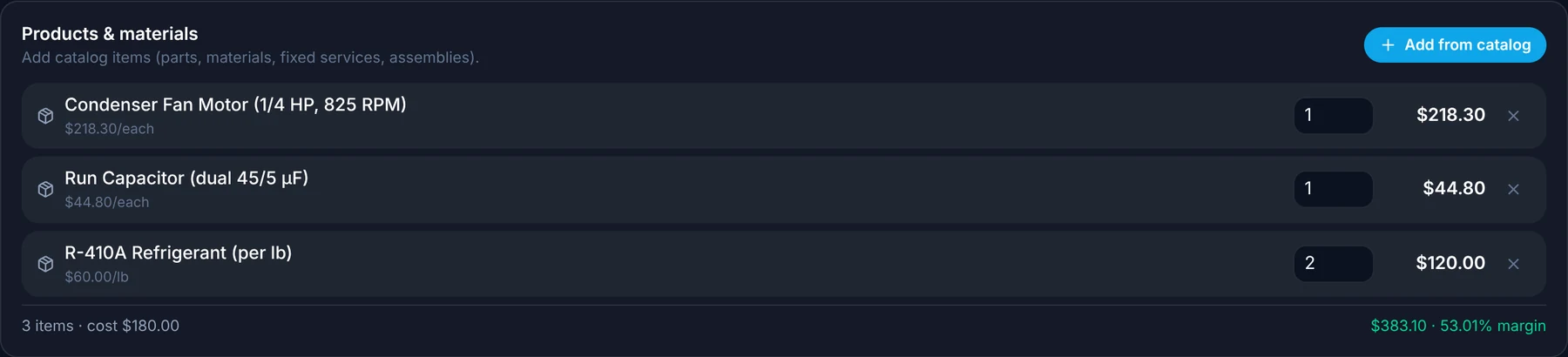
Add parts, time and services in a tap
Pick from your catalog and the job is priced as you build it.
Skills and location built in
Each job carries the skills it needs and where it is, so assignment starts from facts.
Assign by hand or automatically
Drag a job onto a technician, or let ArrivePing offer it to the closest qualified one.
Track the drive and the visit
No clocking in or out. Location does it for you, and every number is recorded against the job.
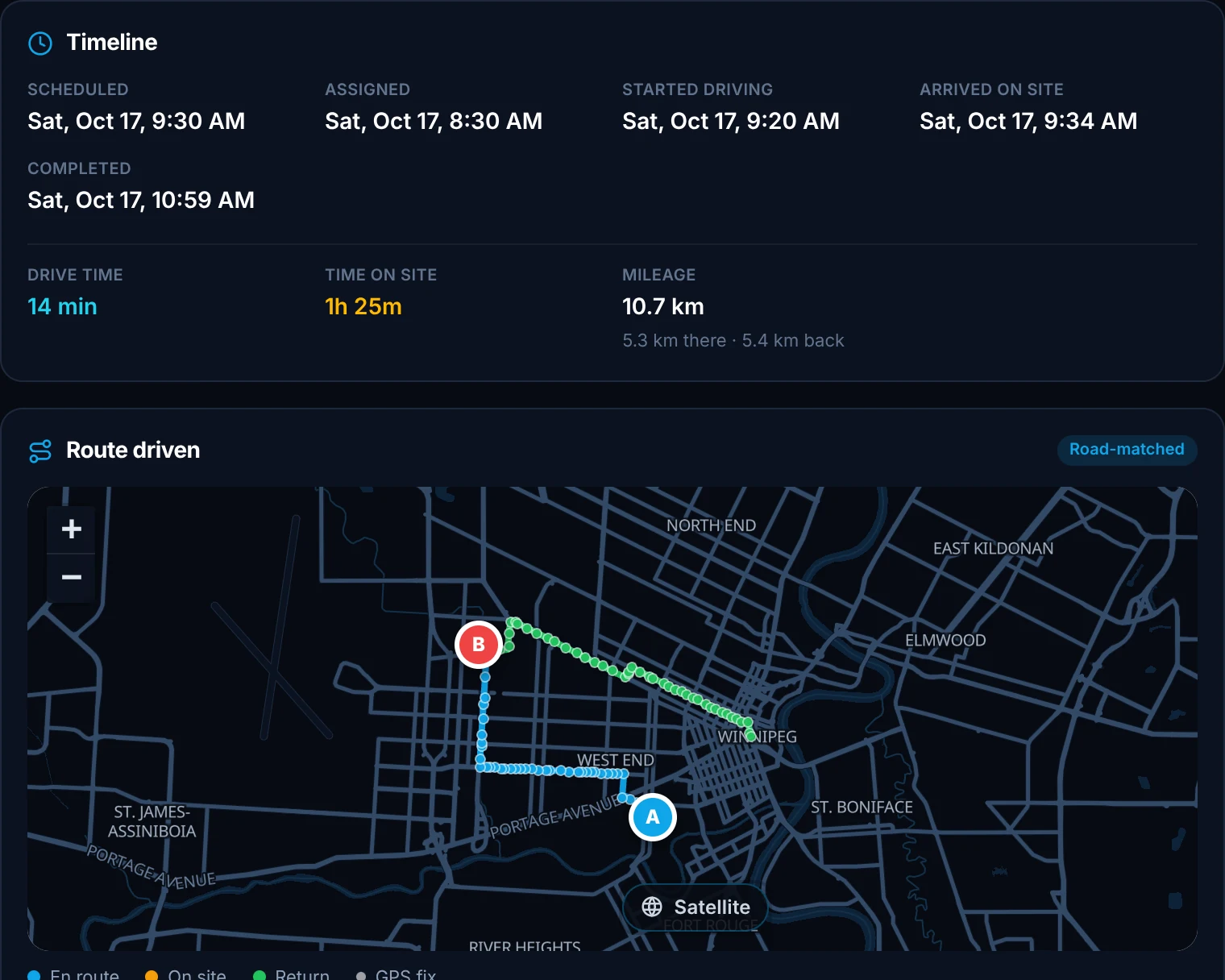
The driving path
The route to and from each job is recorded and saved on the job.
Mileage
The drive there, the drive back and the total, recorded on every job, in kilometres or miles.
Travel time
How long it took to get there, on every job.
Time on site
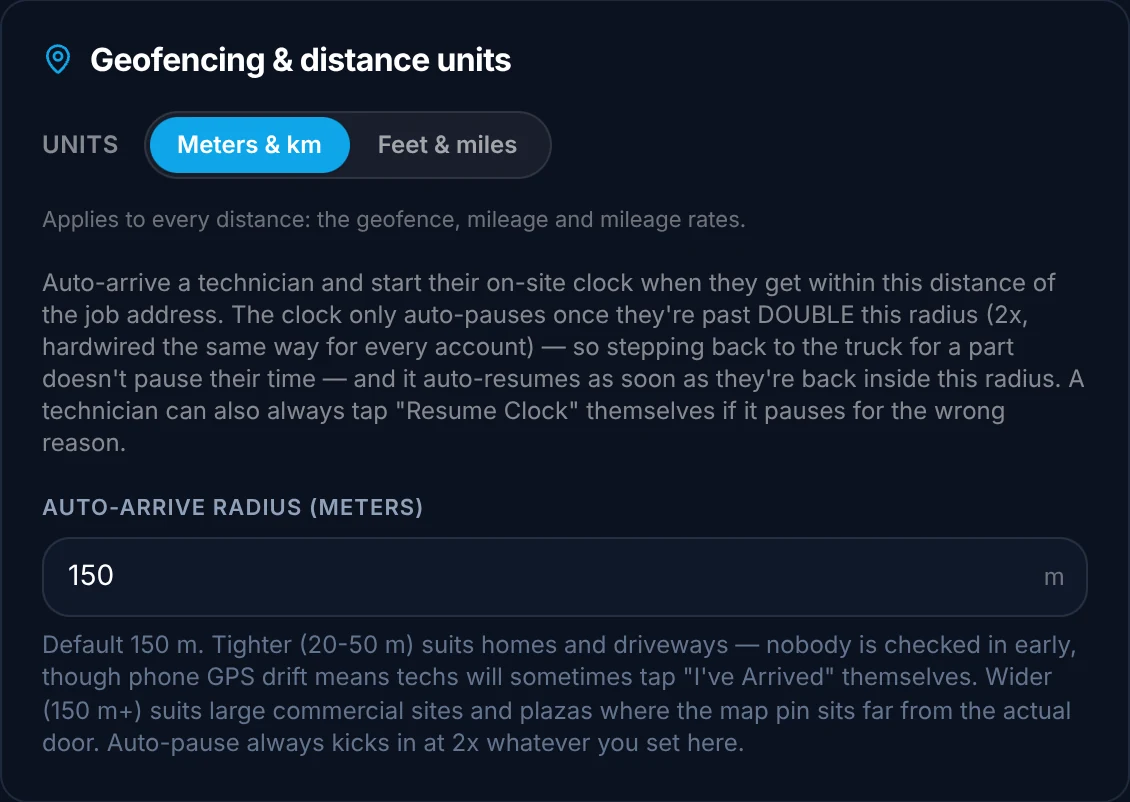
Starts when the technician arrives and stops when they leave, using a GPS geofence around the job address. You set the range in feet or meters.
Capture the work on site
Everything the technician needs to finish the job, in the app they already carry.
Before, during and after photos
Captured on site, following the steps of your workflow.
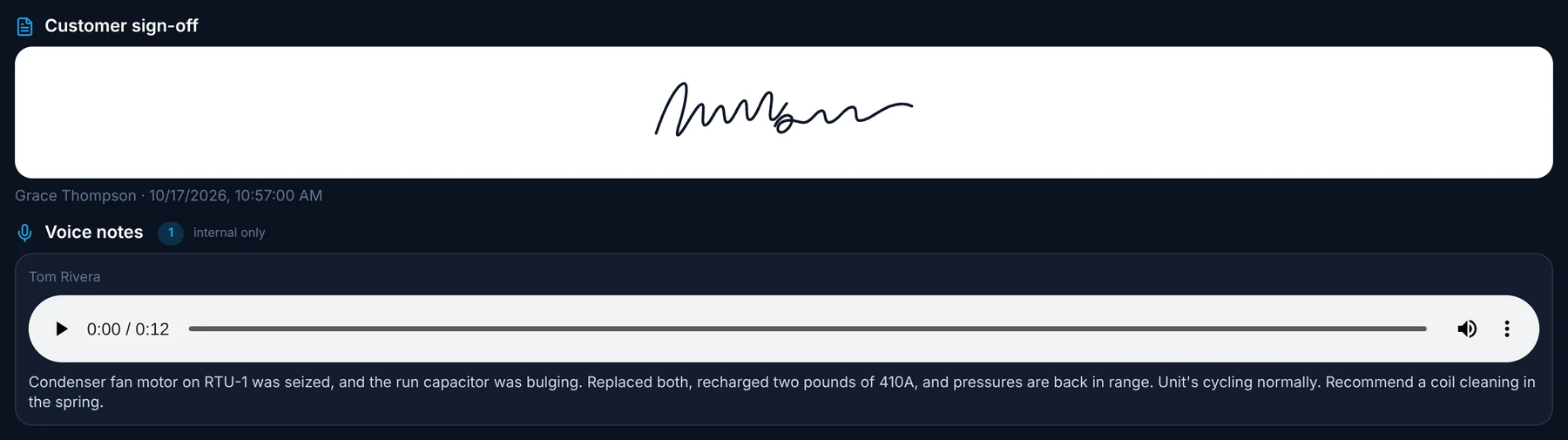
Voice notes
Typing is slow with gloves on. Record a note and it is added to the job record.
Customer signature on the phone
The customer signs on the technician's screen. No paper.
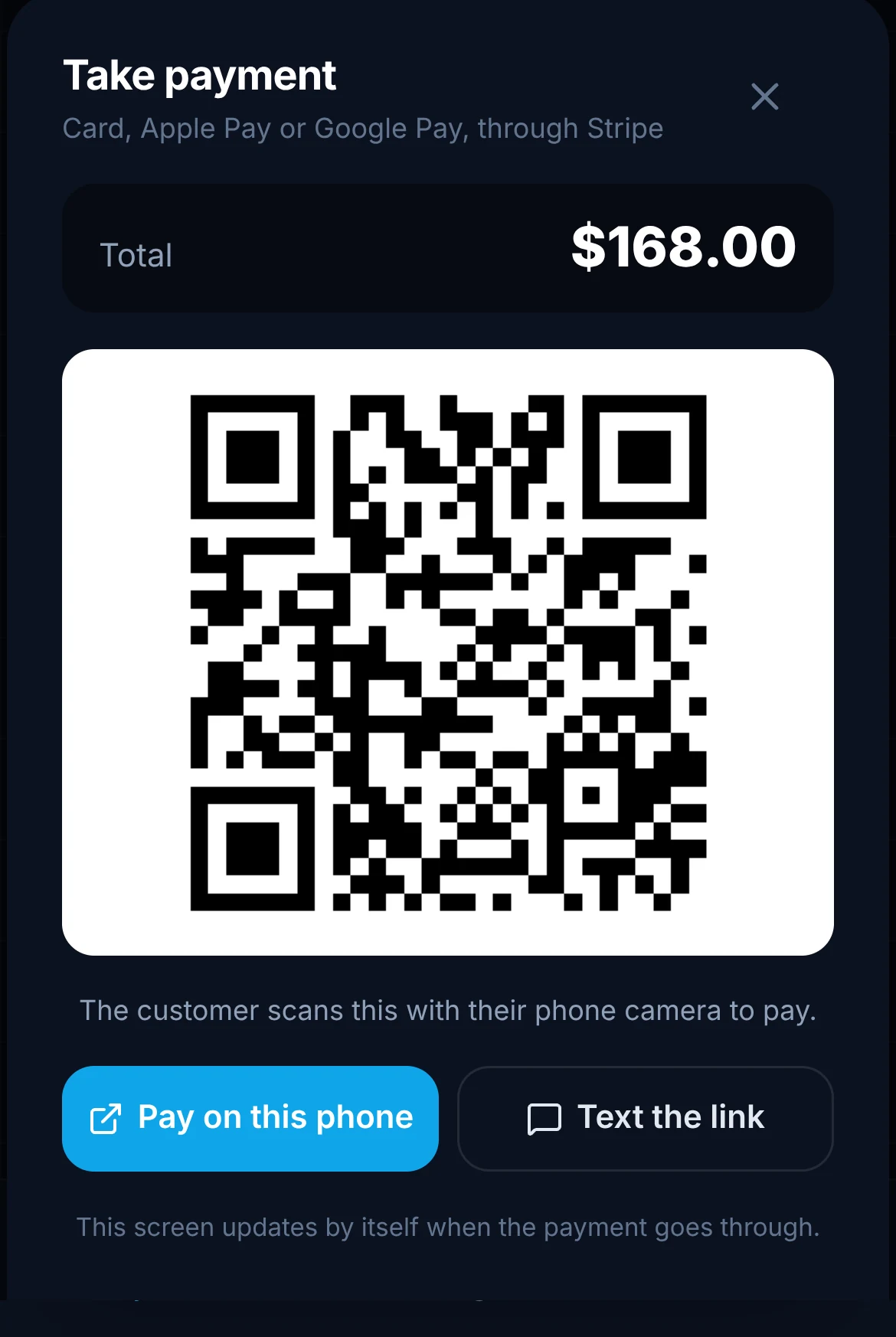
Take payment through Stripe
When the work order says so, the technician taps Take payment. The customer pays by card, Apple Pay or Google Pay, on the technician's phone or their own.


Before RTU-1 as found, access panel off9:38 AM
Keep your customer in the loop
Your customer always knows what is happening, and it arrives under your name.
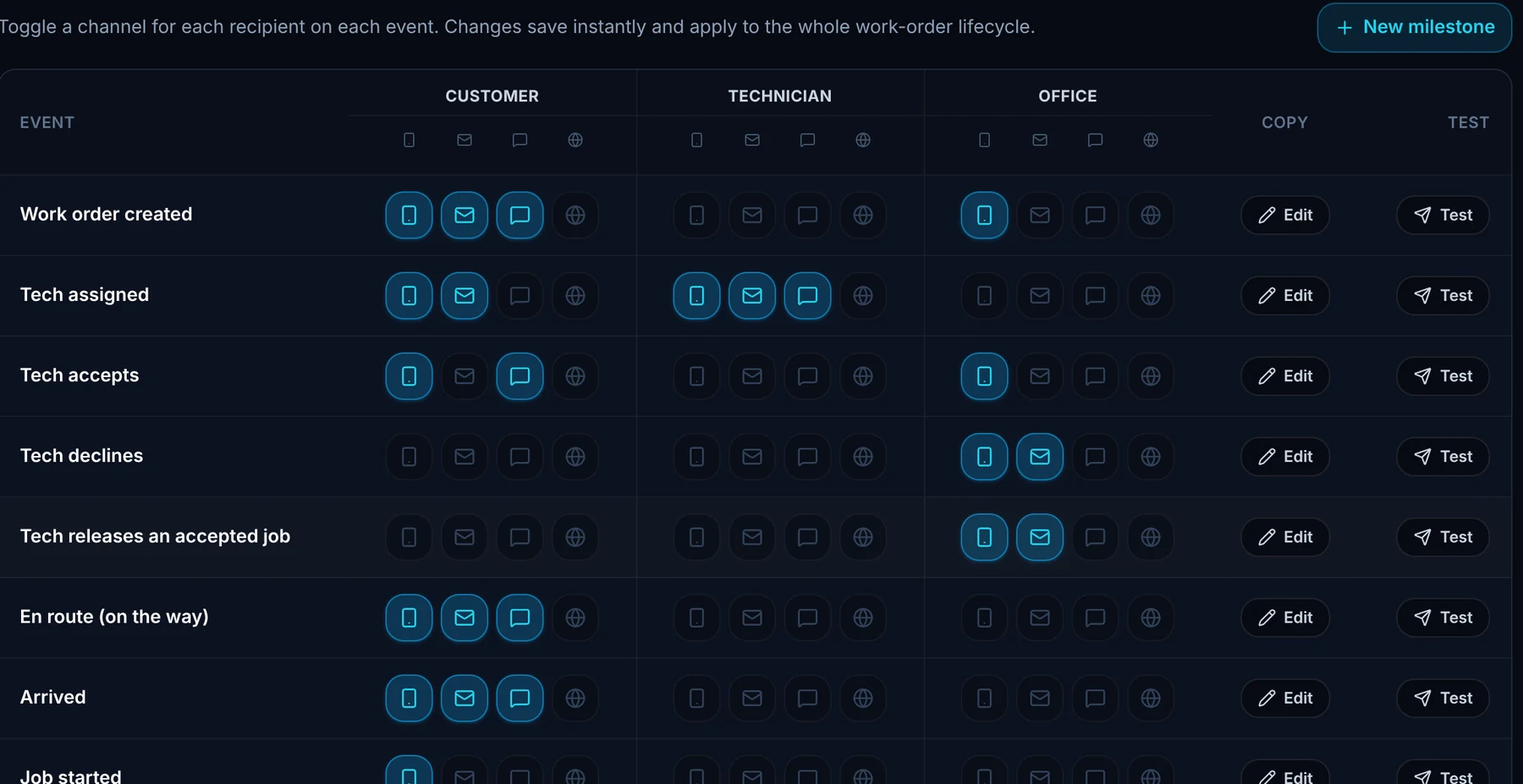
Texts at the milestones you choose
Decide when customers hear from you, from booking to completion.
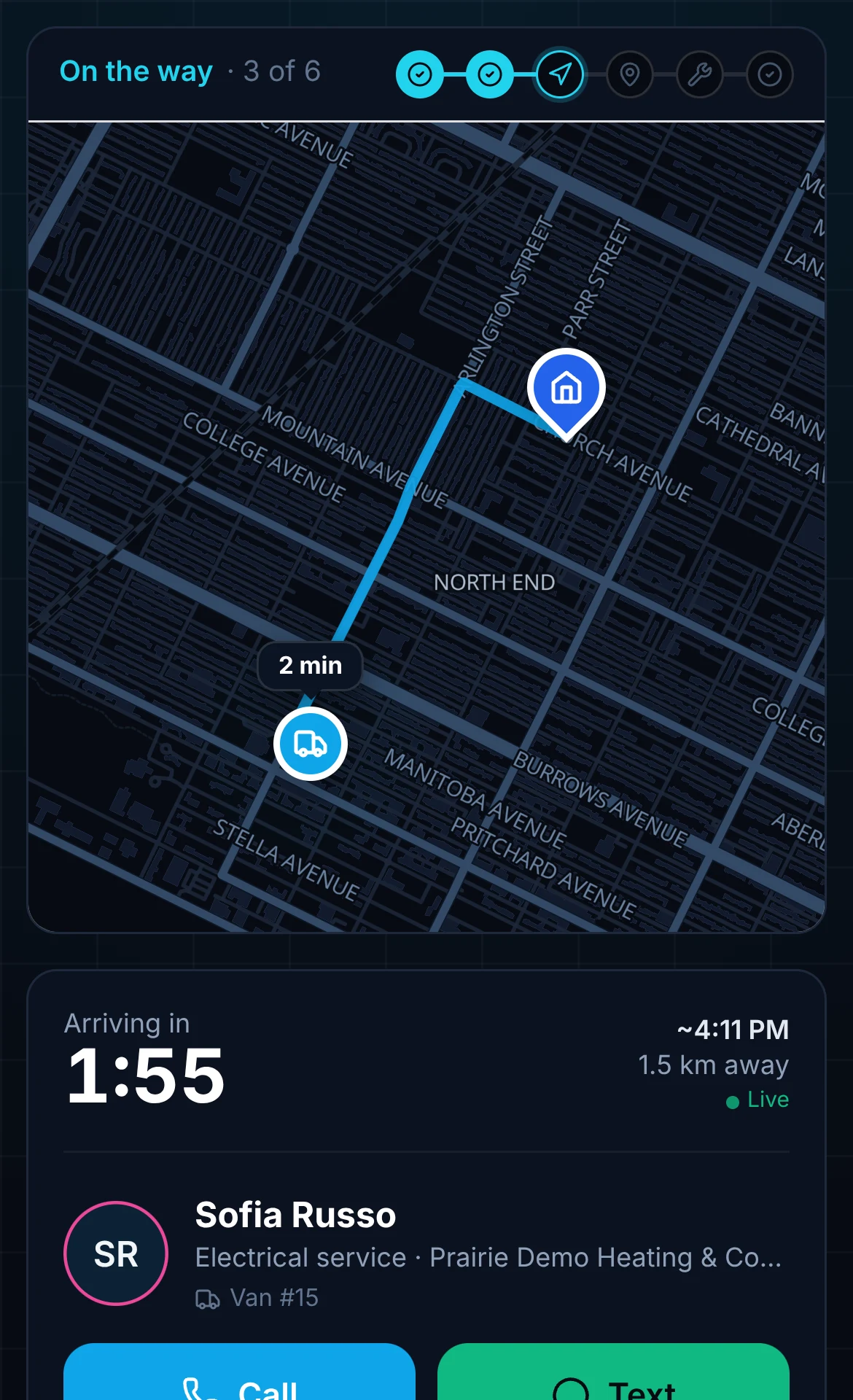
A tracking link with a live ETA
Job details and the technician's live arrival time, on a page branded for your company.
Call or text the technician
If the customer needs something, the options are on the same page.
Branded confirmation and completion emails
Sent from your company, for the appointment and again when the job is done.
Price the job and pay your people
Charge the way you do business, and record how every driver and technician is paid.
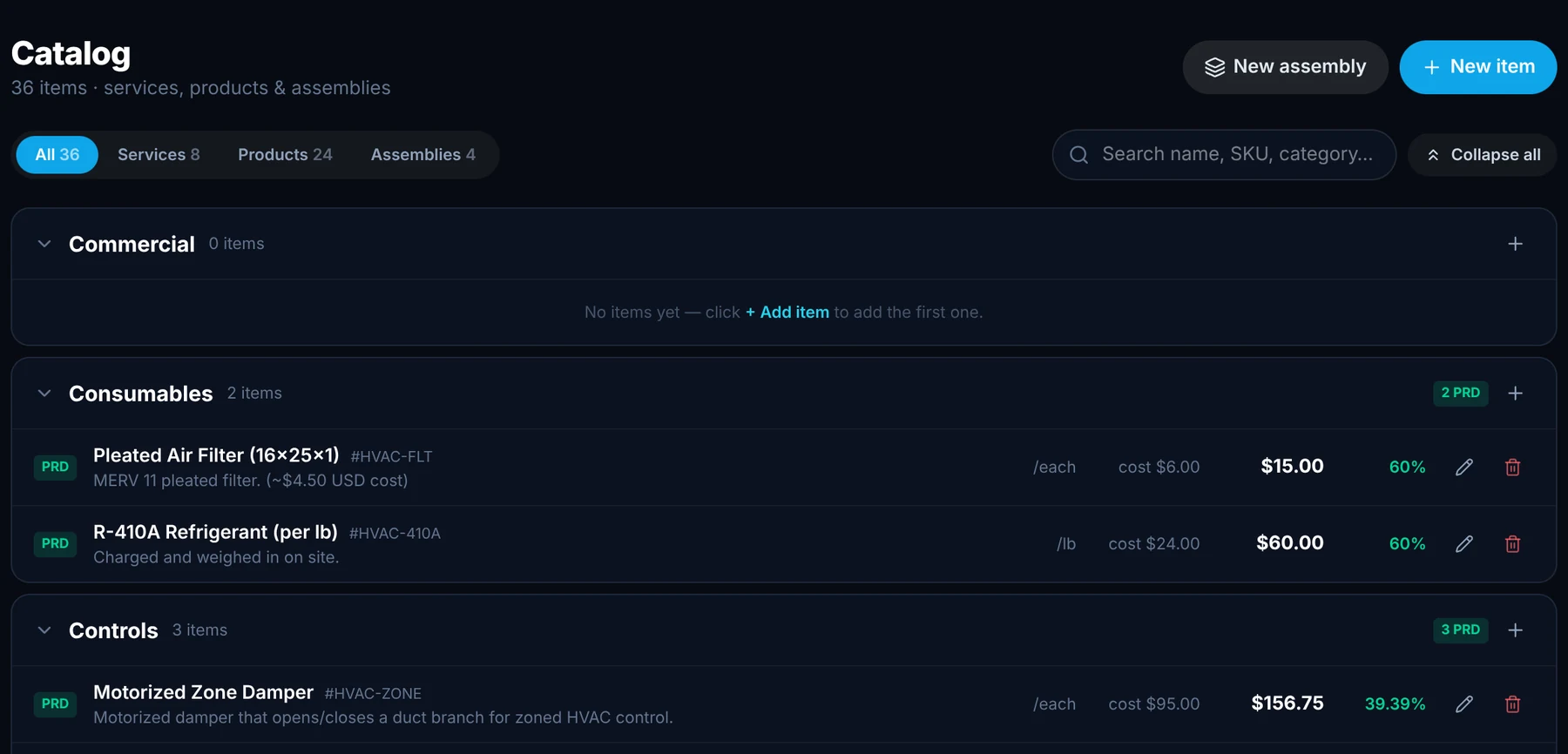
A catalog ready on day one
Parts, time, services and assemblies (combinations of them) are pre-filled. Edit, delete or add your own.
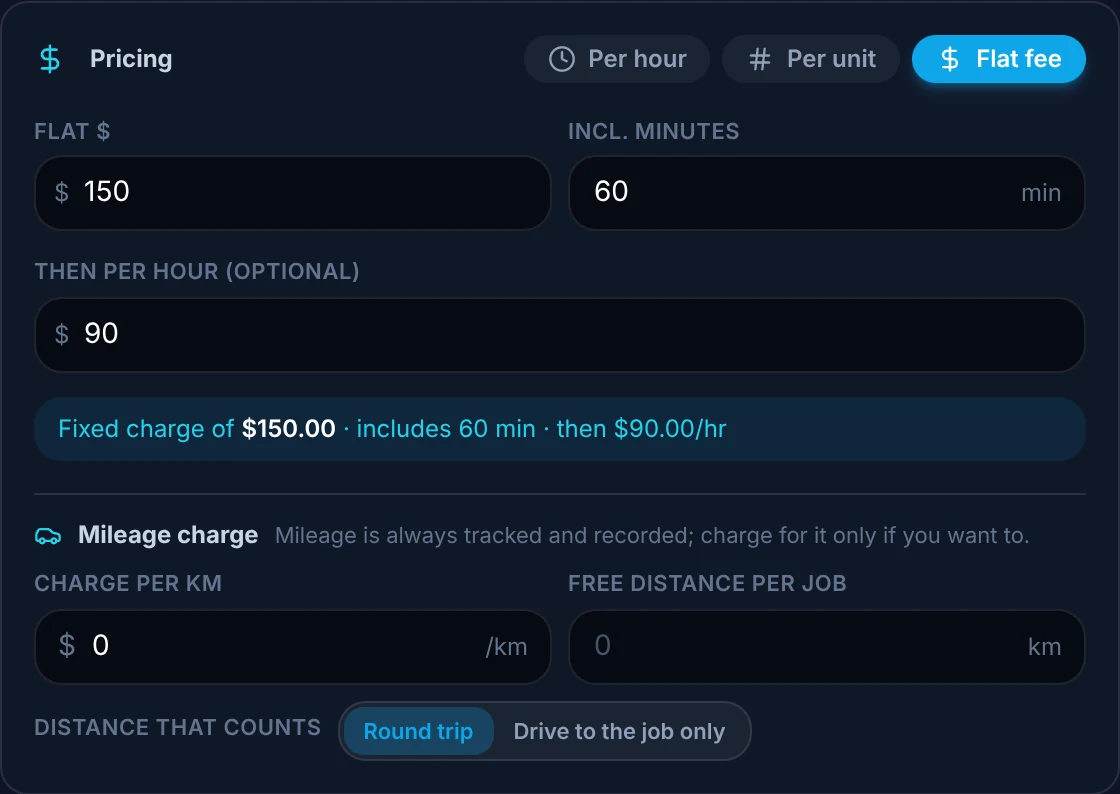
Pricing logic that fits your rules
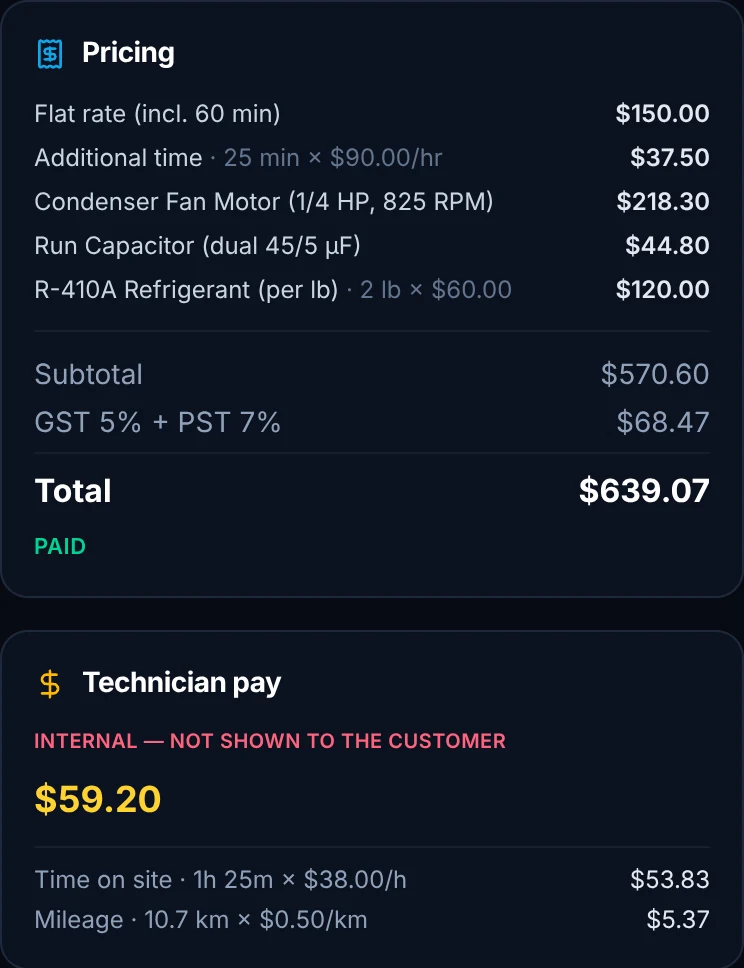
A service fee that includes the first hour, then an hourly rate, plus mileage if you charge for it. You set the rules.
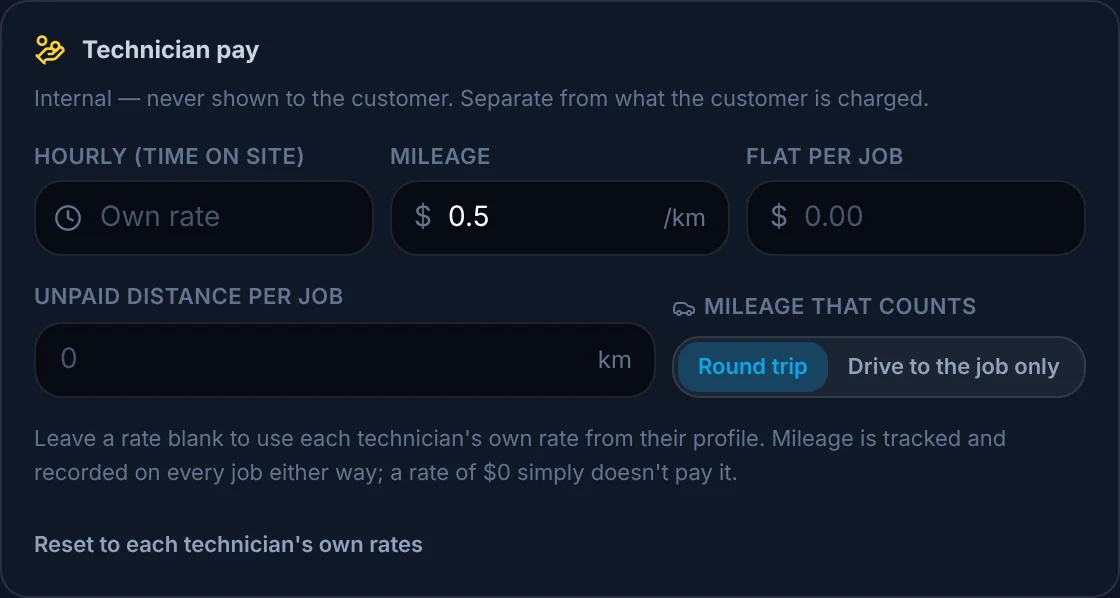
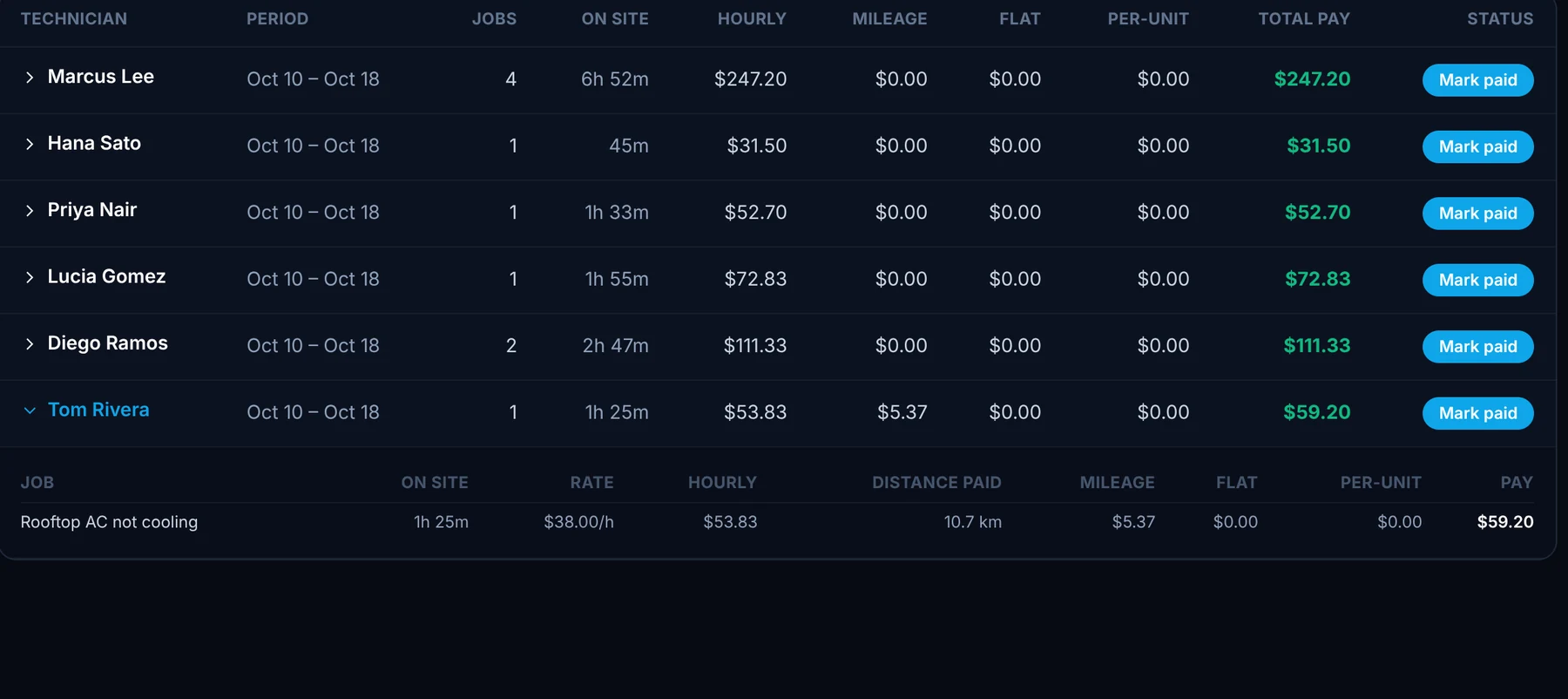
Pay by hour, by mileage, or both
Pay technicians by the hour, by the kilometre or mile, a flat amount per job, or any mix, at a different rate than you charge the client.
Start with your business already set up
You do not begin with a blank screen.
Four AI-built workflows
Everyone who signs up gets at least four workflows generated from their own website.
18 industries of know-how
Best practices and workflows from the NVC360 and ArrivePing research on 18 industries, built in.
Bring your customers and team
Upload the customer list or technician roster you already have as a CSV or Excel file, or fill in our template, and everyone is added at once. Or send us the file and we import it for you.
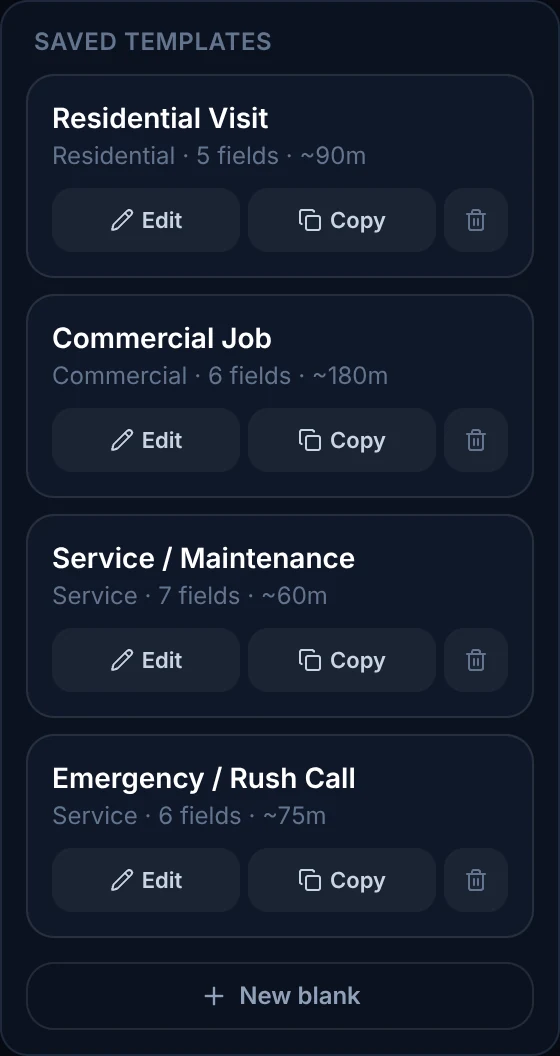
Workflows ready for HVAC & Plumbing
- 1Emergency Dispatch
- 2Maintenance / Membership Visit
- 3Installation Work Order
- 4Builder Install Quote
- 5After-Hours Escalation
Your data, your team
Take your data wherever you need it, and run a crew that works for more than one company.
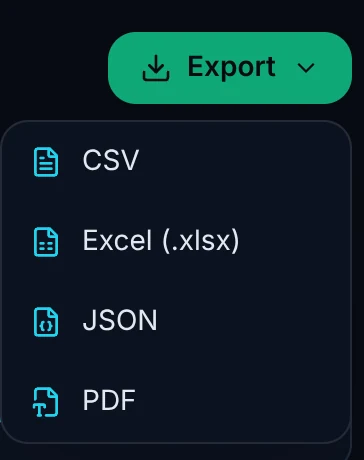
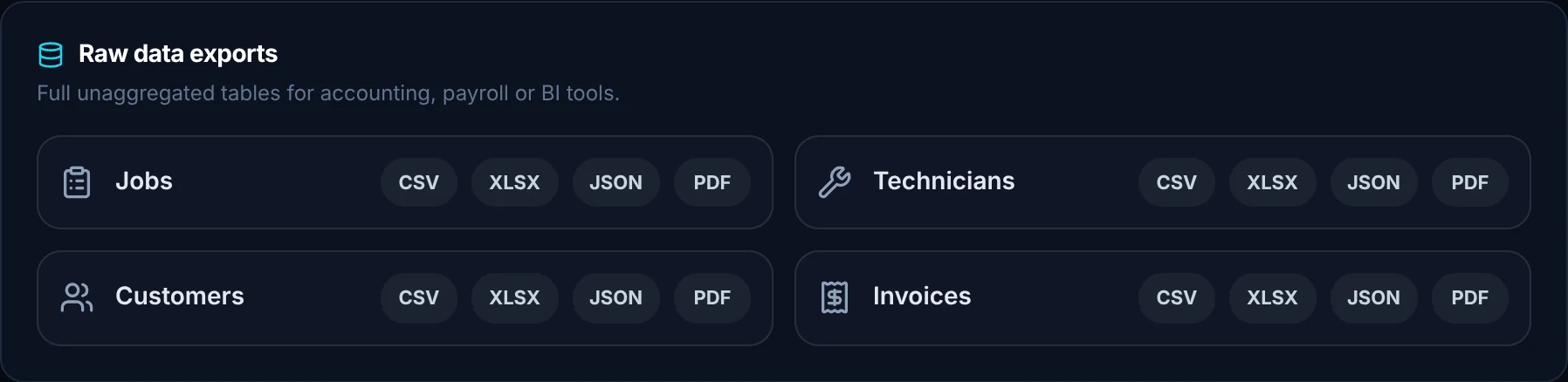
Export everything
CSV, Excel, PDF and JSON, ready to import into any of your other tools.
Subcontractors, handled
A technician can work for you and for other companies. They choose which company they are working for each time they open the app.

Dispatch your first job today.
Sign up, paste your website and the setup agent builds your workspace while you watch. Free for 30 days, then from US$49 a month.
- Sign upNo sales call and no demo to book.
- Paste your websiteThe agent builds your brand, services, catalog, job templates and customer texts.
- Invite your teamTechnicians join from a text on the phone they already carry.
Moving from another system or need a custom integration? [email protected]
Start your 30-day free trial
- As many users as you like, for the whole trial
- Card on file, $0 until day 30
- Cancel before day 30 and you're never billed
- Then from US$49 a month: 1 dispatcher + 2 drivers
No setup fee, no contract, no GPS hardware.