Cost and Complexity Stop Most Software Projects. Here's How to Remove Both.
Surveys of thousands of small businesses blame the same two things when software stalls: cost and complexity. How to remove both, with the tutorials.
Ask small businesses why a software project stalled and you hear the same two answers: it cost too much, and it was too complicated to get running. In the UK government's 2025 survey of 2,000 SMEs, the most-cited barrier to adopting new software was that it "was too expensive for the business" (32%), and the next three were all forms of complexity: no time to explore the options (21%), doubt that it would pay off (14%), and software "too complicated for my business to adopt" (12%) (Ipsos for the Department for Business and Trade, 2025). ArrivePing was built to take both barriers off the table: a 30-day free trial with as many users as you like, no hardware, no contract and nothing to buy up front, with an AI setup agent that builds your workspace in under an hour and a library of short how-to videos so your team is working on its own within a day or two.
What stops small businesses from adopting software?
The two barriers show up in every serious survey, and they compound each other. Cost is the obvious one. Ipsos asked UK SMEs what held them back and a third said "software was too expensive for the business" (32%). Complexity is the quieter one, because it hides behind several answers at once: 21% said "I do not have time/capacity to explore the options available", 14% said "we are not convinced that adopting new technology would be beneficial", 12% said the software "is too complicated for my business to adopt", and another 12% said "our employees will not know how to utilise new technology effectively" (Ipsos/DBT, 2025, Figure 5.4). Add those up and more owners are blocked by the effort of adopting than by the price tag.
The cost of getting it wrong is real. Capterra's 2026 Software Buying Trends report, based on more than 3,300 software buyers, found that "two-thirds of today's software buyers experience disruptions during implementation, purchase regret, or both", and that "89% of software buyers who regret their purchase experienced implementation disruptions". By Capterra's definition, "only one in three software buyers is a successful software adopter" (Capterra, 2025). Regret, in other words, is mostly a rollout problem, not a features problem.
None of this means small businesses are avoiding technology. The U.S. Chamber of Commerce's 2026 Empowering Small Business report found 41% of small businesses now run six or more technology platforms, up nine points in a year, and 84% plan to increase their technology use over the next two to three years (U.S. Chamber of Commerce, 2026). The appetite is there. The barriers are what to buy, what it will really cost, and whether the crew will use it.
What does "removing the cost barrier" actually mean?
Cost isn't just the subscription. For field service software it usually includes vehicle GPS hardware, a setup fee, an annual contract you can't leave, and the hours a manager spends getting it configured. Remove each of those and the risk of trying something new drops to roughly zero. That's the test ArrivePing is built to pass:
- A 30-day free trial with as many users as you like. Put your whole office and every technician on it from day one. A card is kept on file so service never stops, nothing is charged during the trial, and cancelling before day 30 costs nothing (pricing).
- No hardware. Location comes from the technician app on the phone your team already carries. There are no trackers to buy, install or maintain (fleet tracking).
- No contract and nothing to buy up front. Plans are billed monthly and you add or remove drivers month to month. After the trial, Starter is $49 a month for one dispatcher and two drivers, with every further driver priced on the same published schedule.
- No setup project. The setup is done by software, not by a consultant on an hourly rate, which is the part most quotes leave out.
If it doesn't make your dispatch day calmer within the first month, we refund it.
What does "removing the complexity barrier" look like?
Complexity is the barrier that regret surveys keep pointing at, and it has three parts: the time to set the system up, the time to learn it, and the fear of being stuck with nobody to ask. ArrivePing answers each one directly.
Setup in under an hour. You give the setup agent your website. It reads it and builds your workspace: your name and logo, your services, a priced catalog, job templates with checklists, online booking forms and the customer texts in your voice. A short chat of five to ten questions fills in how you work, then you invite your team and import customers and technicians from a spreadsheet. Most teams dispatch their first job within an hour (field service software). That's typical, not a guarantee, but it's the difference between a lunch hour and a quarter.
Proficient in a day or two. The technician app has four buttons that matter: Accept, Start Driving, I've Arrived, Complete Job. Dispatchers plan the day by dragging jobs onto technicians in the Scheduler. In our experience, people are working on their own by the second day, and the sample day that every new workspace starts with means they can try everything without a real customer being texted.
A library of how-to videos and people to ask. Every step above has a short video made from real ArrivePing screens, and 19 help articles show their matching video at the top. When the video isn't enough, support replies within one business day, and sooner for anything that stops a crew from working (help centre).
Watch: the tutorials that do the heavy lifting
These are the videos new customers start with. Each is built from real app screens and opens in the help centre player. The full walkthrough is chaptered so you can jump to one screen; the shorter videos link to their written guides.
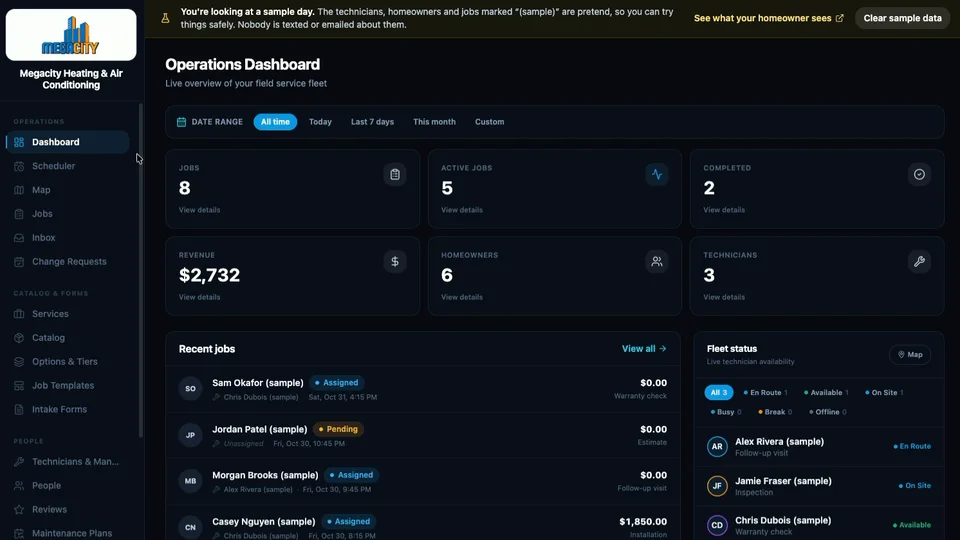 ArrivePing, start to finish 7:51 · sign-up to first dispatched job, with 13 chapters
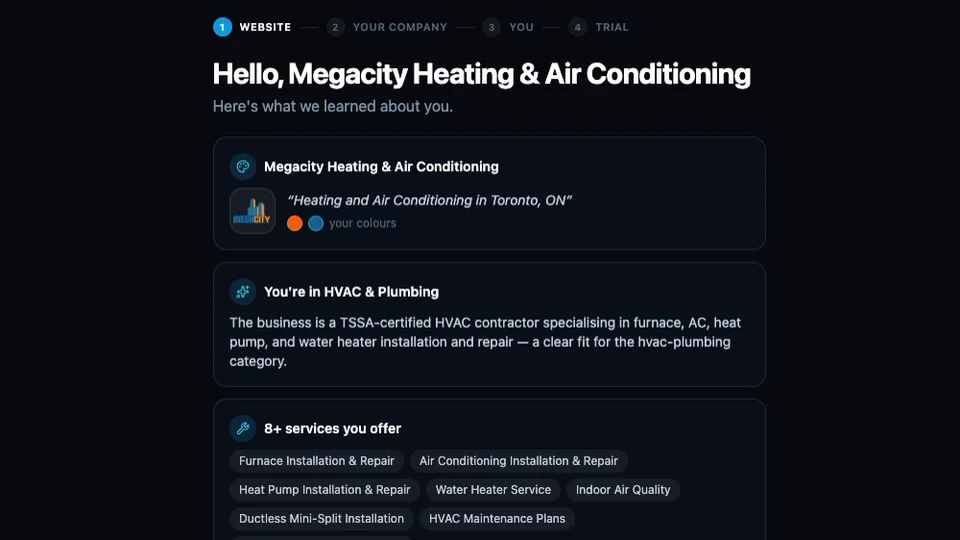 Sign up: AI builds your workspace from your website the setup agent reading a site and creating services, catalog and forms
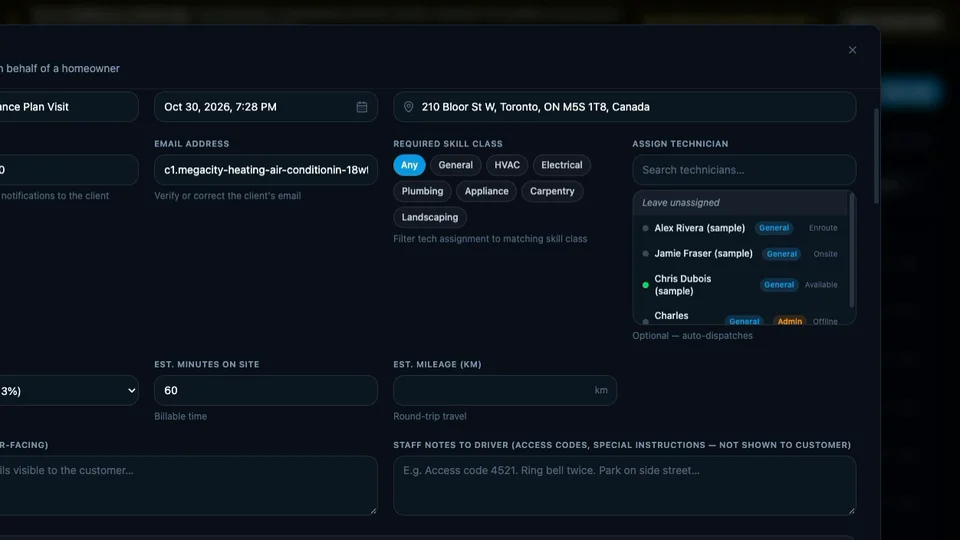 Create a job in under a minute customer, service, template, address, create
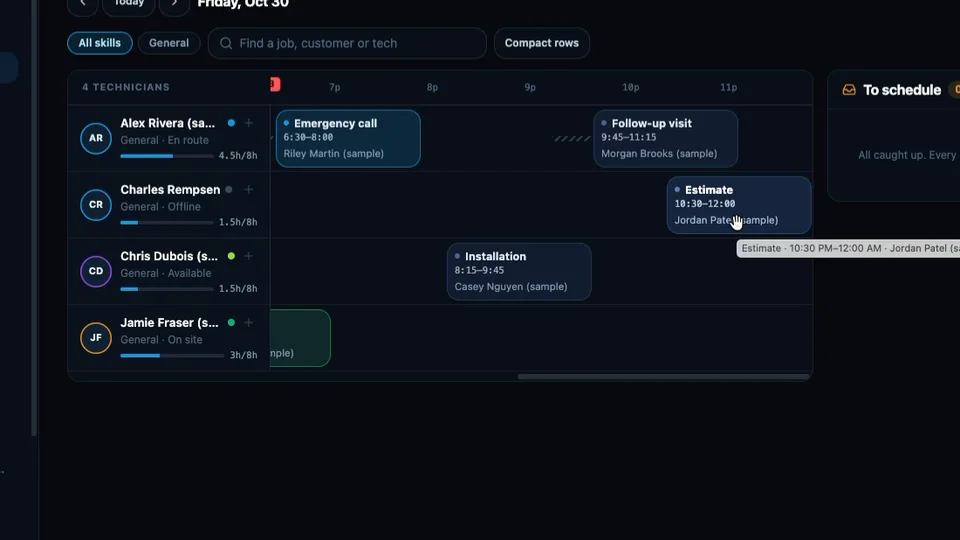 Schedule and dispatch with drag and drop move a job, and the customer and technician hear about it in seconds
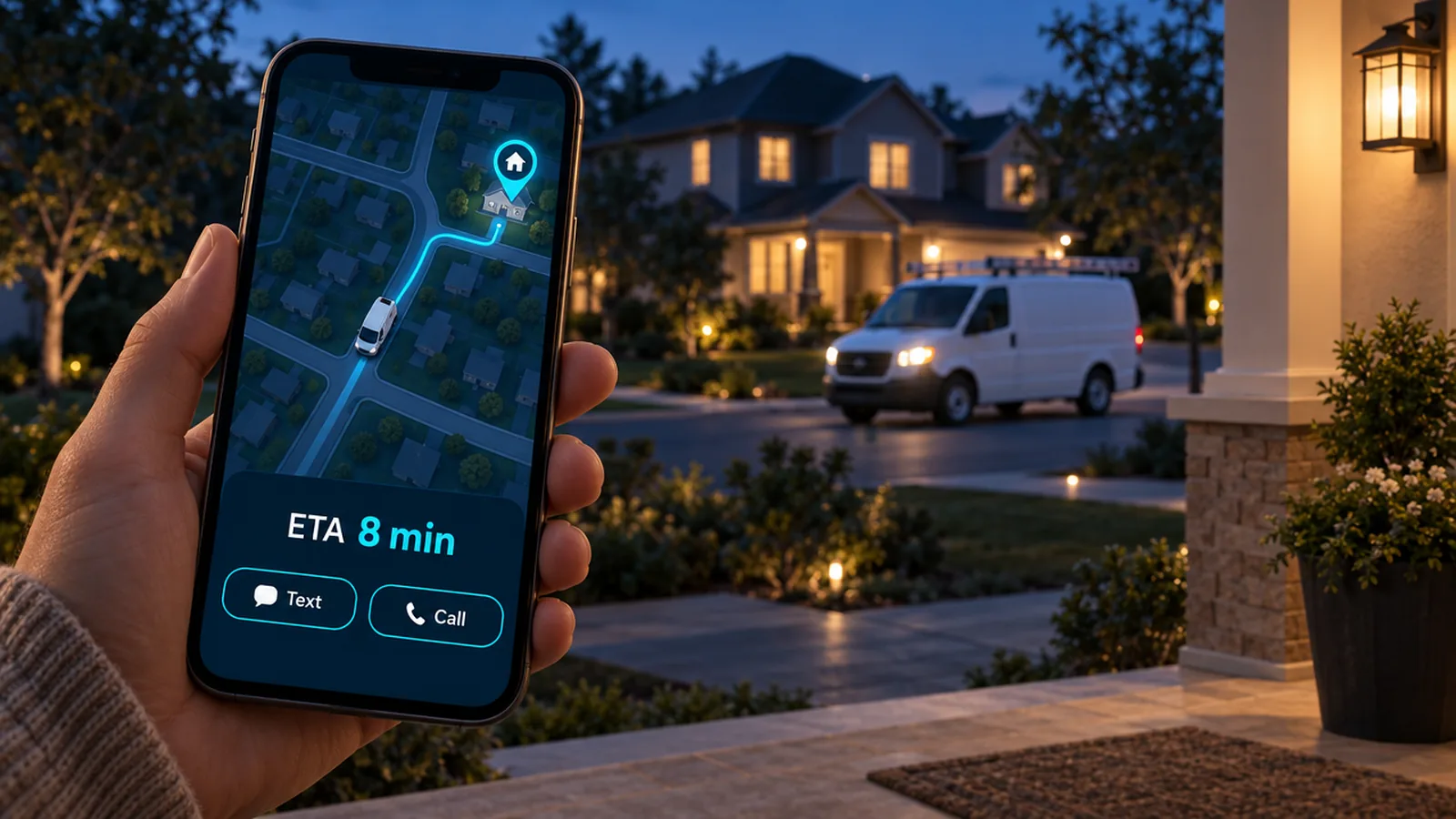
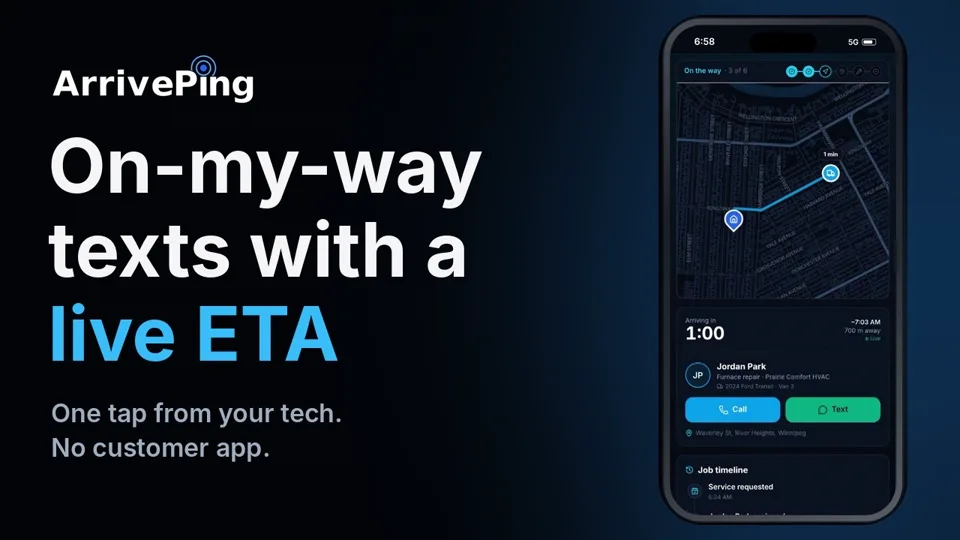 How the on-my-way text and live ETA work Start Driving, the customer's live page, I've Arrived
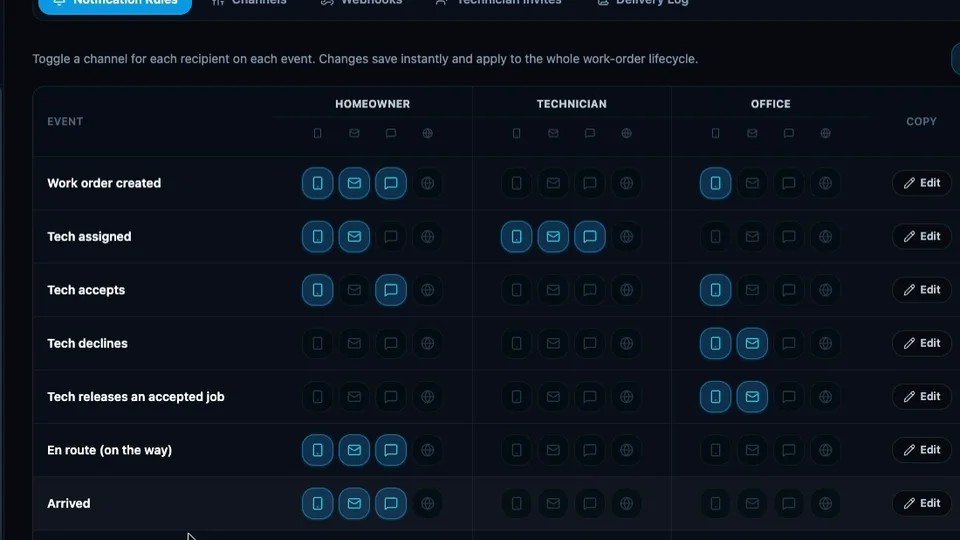 Notifications and automation: who hears what, and when the rules behind every text, email and alert
The full library, grouped by "Get set up", "Run your day" and "Set up how you work", is at arriveping.com/support/videos. Real ArrivePing screens throughout; the demo workspace was built, with permission, from a customer's website, and the narration is AI.
Playbook: how to evaluate software without hitting either barrier
- Write down the full cost before the demo. Subscription, hardware, setup fee, contract length and the hours your own people will spend. Capterra's finding that regret follows implementation trouble means the last line is the one to watch.
- Insist on a trial with your real team on it. A trial limited to two users tells you nothing about how dispatch and the crew will use it. Ask for unlimited users during the trial, and a card that isn't charged.
- Time the setup yourself. Start a clock at sign-up and stop it when the first real job is dispatched. If the answer is weeks, that's the complexity barrier in hours.
- Watch the tutorials before you commit. If a vendor's how-to videos are long, vague or missing, the product is probably hard to learn. A library of one-minute videos usually means the workflows are simple enough to fit in one.
- Check how you leave. Month-to-month billing and a full export (CSV, Excel, PDF, JSON) mean a wrong choice costs one month, not a year. See what field service software really costs and why base hits beat home-run software.
- Give it two days, then decide. Run the sample day on day one, a real day on day two, and ask the crew. If they're using it without being told to, you've cleared both barriers.
How ArrivePing does this
ArrivePing is field service software made by NVC360 in Winnipeg, Manitoba, for any business that sends people to customers: HVAC, plumbing and electrical, but also cleaners, installers, delivery crews, property maintenance and home care. The product's job is to make trying it cheap and running it simple:
- Cost: a 30-day free trial with unlimited users, a card on file that isn't charged, no hardware, no contract, no setup fee and a published price from $49 a month (pricing).
- Complexity: an AI setup agent that builds your workspace from your website, so most teams dispatch within an hour; a sample day to practise on; a technician app that fits on four buttons; and a Scheduler that works by drag and drop (field service software).
- Support: short how-to videos on every workflow, 19 help articles with their video on top, and a team that replies within one business day (help centre).
Where ArrivePing isn't the fit: if you need quoting, accounting and marketing in one system, an all-in-one platform covers more at a higher price and a longer setup. ArrivePing runs scheduling, assignment, tracking and customer updates alongside the tools you already have, and exports or connects through webhooks, Zapier, Make and an MCP server.
FAQ
What are the biggest barriers to small businesses adopting new software?
Cost and complexity. In the UK Department for Business and Trade's 2025 survey of 2,000 SMEs, 32% said software was too expensive, 21% had no time to explore options, 14% weren't convinced it would pay off and 12% said it was too complicated to adopt. Capterra's 2026 report adds that two-thirds of software buyers experience implementation disruptions, purchase regret, or both.
How long does it take to set up ArrivePing?
Most teams dispatch their first job within an hour. The setup agent reads your website and builds your branding, services, priced catalog, job templates, intake forms and customer texts, then a short chat fills in how you work. That's typical rather than guaranteed, and the full walkthrough video shows the whole thing end to end.
Does the ArrivePing free trial limit how many users I can add?
No. The 30-day trial includes as many dispatchers and technicians as you like, so your whole team can try it on real jobs. A card is kept on file but nothing is charged during the trial, and cancelling before day 30 costs nothing.
Do I need GPS hardware or a contract?
Neither. Location comes from the technician app on the phones your team already carries, so there is nothing to install in vehicles. Plans are billed monthly with no setup fee, and you can add or remove drivers month to month.
How long does it take technicians to learn ArrivePing?
A day or two in our experience. The technician app runs on Accept, Start Driving, I've Arrived and Complete Job, and every workflow has a short how-to video made from real app screens in the help centre.
Sources
- Ipsos for the UK Department for Business and Trade, Understanding technology adoption among UK SMEs, final report, July 2025 (online survey of 2,000 SMEs, Nov–Dec 2024; Figure 5.4, barriers to adoption). https://assets.publishing.service.gov.uk/media/688a438aff8c05468cb7b0f0/sme_tech_adoption_dbt_report.pdf
- Capterra, 5 Habits of Successful Software Adopters: 2026 Software Buying Trends, published October 7, 2025 (survey of more than 3,300 software buyers). https://www.capterra.com/resources/software-buying-trends-2026/
- U.S. Chamber of Commerce Technology Engagement Center, Empowering Small Business: The Impact of Technology on U.S. Small Business, 5th edition, October 2026. https://www.uschamber.com/technology/2026-empowering-small-business-report