Field Service Software for Small Business: A 2026 Buyer's Guide for 3–10 Tech Shops
How a 3–10 tech HVAC, plumbing or electrical shop should choose field service software in 2026: must-haves, free plans, list prices and a one-week test.
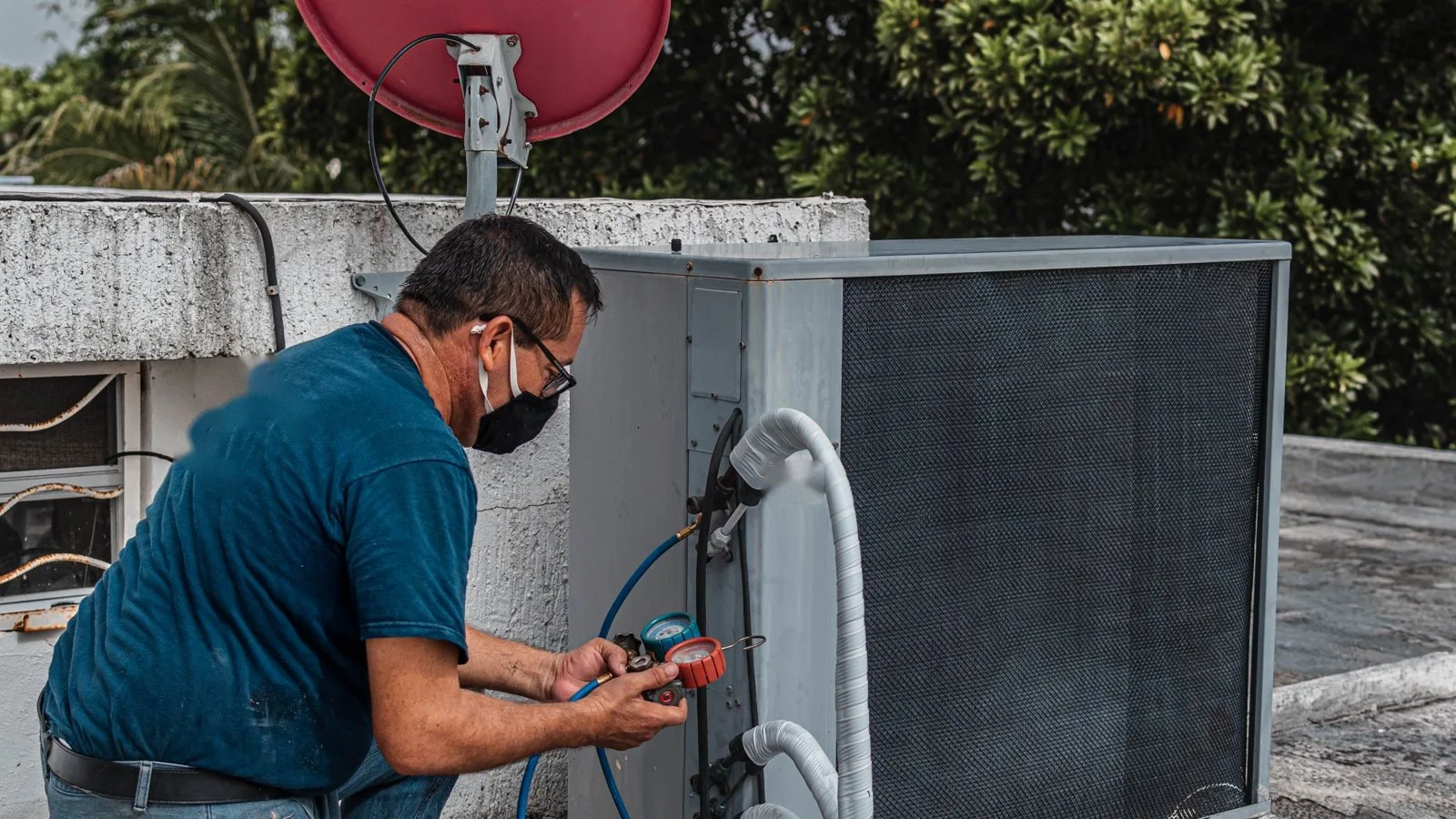
Most HVAC, plumbing and electrical businesses are small: in 2023, 77% of plumbing, heating and air-conditioning contractor establishments in the U.S. had fewer than 10 employees, and so did 77% of electrical contractor establishments (U.S. Census Bureau, County Business Patterns 2023). For a shop that size, the right field service software is the one that fixes scheduling, dispatch and "where's my technician?" calls first, and doesn't charge you for an office team, a fleet or a sales department you don't have.
This guide is for owners and office managers of crews with roughly 3 to 10 technicians. It covers what to require, what can wait, what the free plans really include, what five well-known options cost at list price for a 5-person shop, and how to test one in a week.
What is field service management software?
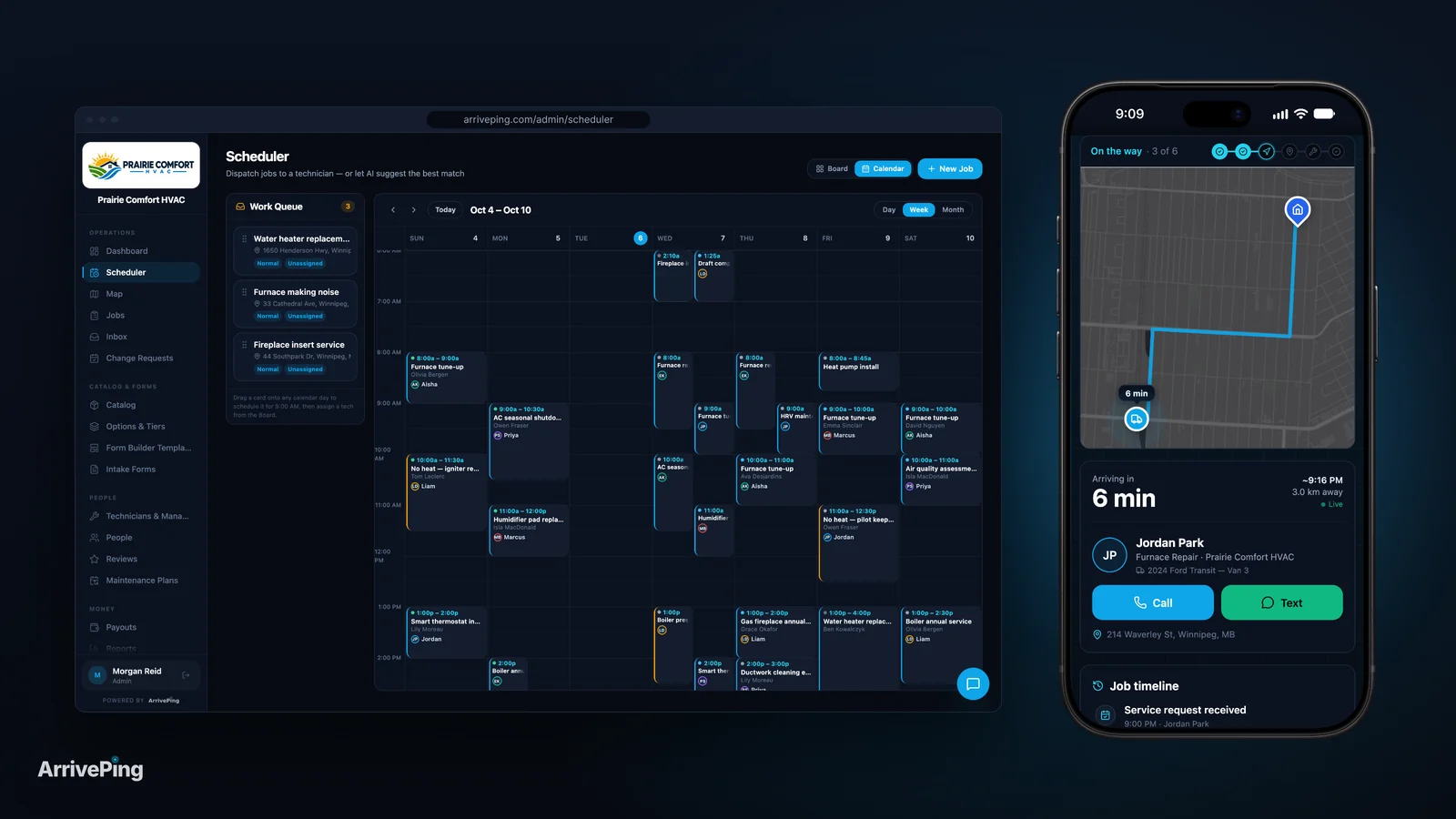
Field service management (FSM) software is how a service business books jobs, assigns them to technicians, sees where everyone is during the day and keeps customers informed. Most products add some mix of quoting, invoicing, payments, a technician app and reporting.
Small shops search for it under many names: "HVAC software for small business," "plumbing software," "electrician scheduling software," "dispatch software for service companies." They describe the same job: get the right person to the right address, tell the customer when, and get paid for it.
What does a small HVAC, plumbing or electrical shop actually need?
Start from what goes wrong in your week, not from a feature list. Two numbers explain most of a small shop's bad days.
- Plans change constantly. In Salesforce's research with field technicians, "almost half (47%) of their appointments don't go as planned" (Salesforce, 2025). Every change lands on whoever is dispatching, and in a 4-truck shop that's often the owner, from a truck.
- Customers expect to be told. In Housecall Pro's survey of 1,040 U.S. homeowners (October 2025), 59% expected text updates, 58% were reassured by seeing the technician's photo or ID before the visit, and 35% named late arrivals as a frustration (Housecall Pro, 2025).
That makes the must-haves short.
| Feature | At 3–10 technicians | Why |
|---|---|---|
| Schedule and dispatch board | Need it now | One place to see every job and who's on it, instead of a whiteboard and group texts |
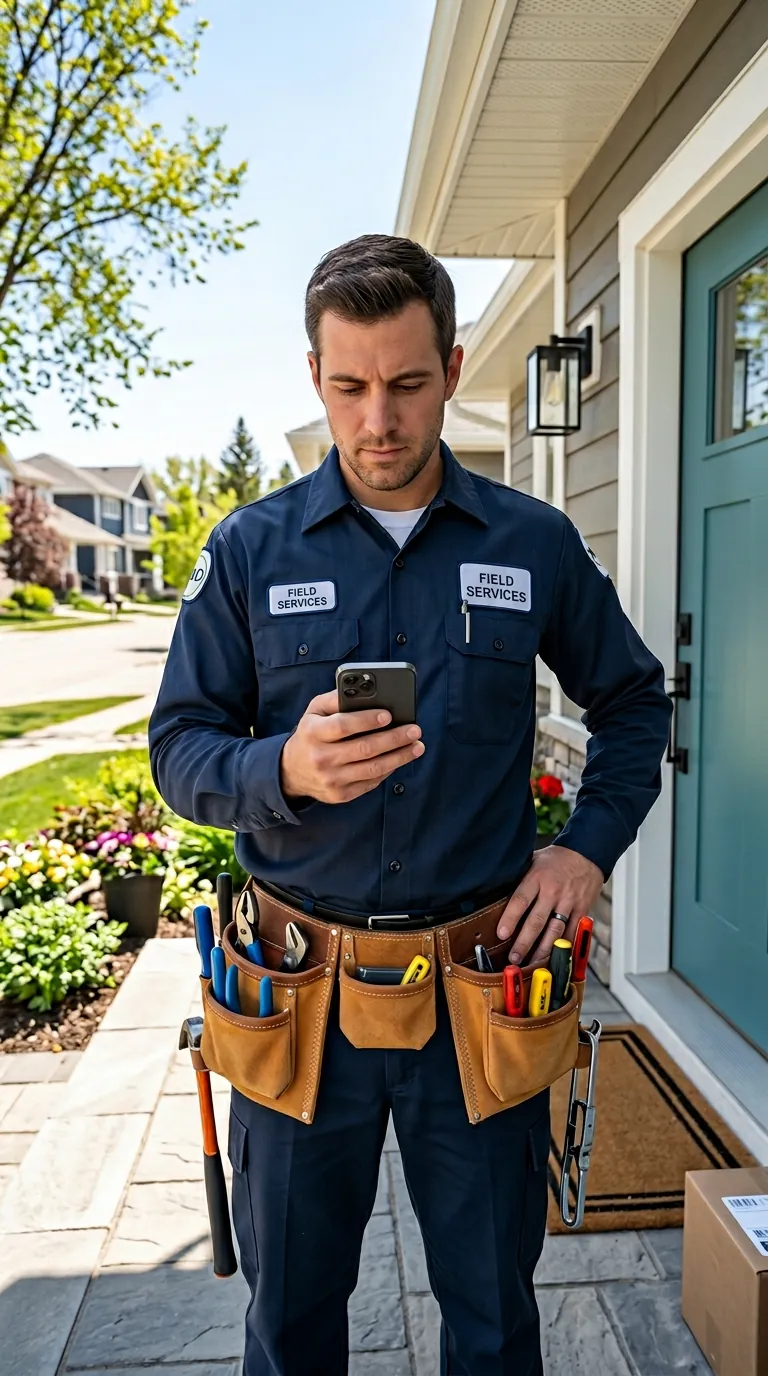
| Technician mobile app | Need it now | Jobs, addresses, notes and status updates on the phone the tech already carries |
| Live map of your team | Need it now | Lets whoever is dispatching answer "who's closest?" without calling around |
| On-my-way text with ETA and tech name | Need it now | Cuts "when will they be here?" calls; 59% of homeowners expect text updates |
| Automatic assignment by distance and skill | Very useful | Saves the dispatcher's time on every reschedule; check whether your plan includes it |
| Invoicing and card payments | Need it, can be separate | Many shops already invoice from QuickBooks; an integration can do the job |
| Online booking | Useful | 80% of homeowners factor in online booking when choosing a pro (Housecall Pro, 2025) |
| Marketing campaigns, call centre tools, payroll | Can wait | Built for larger offices; you pay for them in the plan price |
If a product nails the first four rows at a price that fits, it's on your short list. If it's strong on the bottom rows and weak on the top ones, it's built for a different business.
Is there free field service management software for small business?
Yes, but read the limits against your job count before you rely on one.
- Zoho FSM has a free plan where "you can create up to 30 appointments per month," with up to 20 users (Zoho FSM pricing). Live tracking of technicians' locations starts at the paid Standard edition; it isn't in the free plan (Zoho FSM help).
- Connecteam's Small Business plan is "completely FREE for small businesses with up to 10 employees" and includes time tracking, scheduling, forms and tasks (Connecteam). It's a general workforce app: it doesn't describe customer tracking links or dispatch by location.
- Jobber and Housecall Pro have no free plans; both offer a 14-day free trial with no card required (Jobber; Housecall Pro).
Do the arithmetic for your own shop. If four technicians each run three calls a day for 21 working days, that's about 252 appointments a month, so a 30-appointment cap covers roughly the first two and a half days. Free plans are a fine way to learn what you need. They rarely carry a full schedule.
What does field service software cost a 5-person shop?
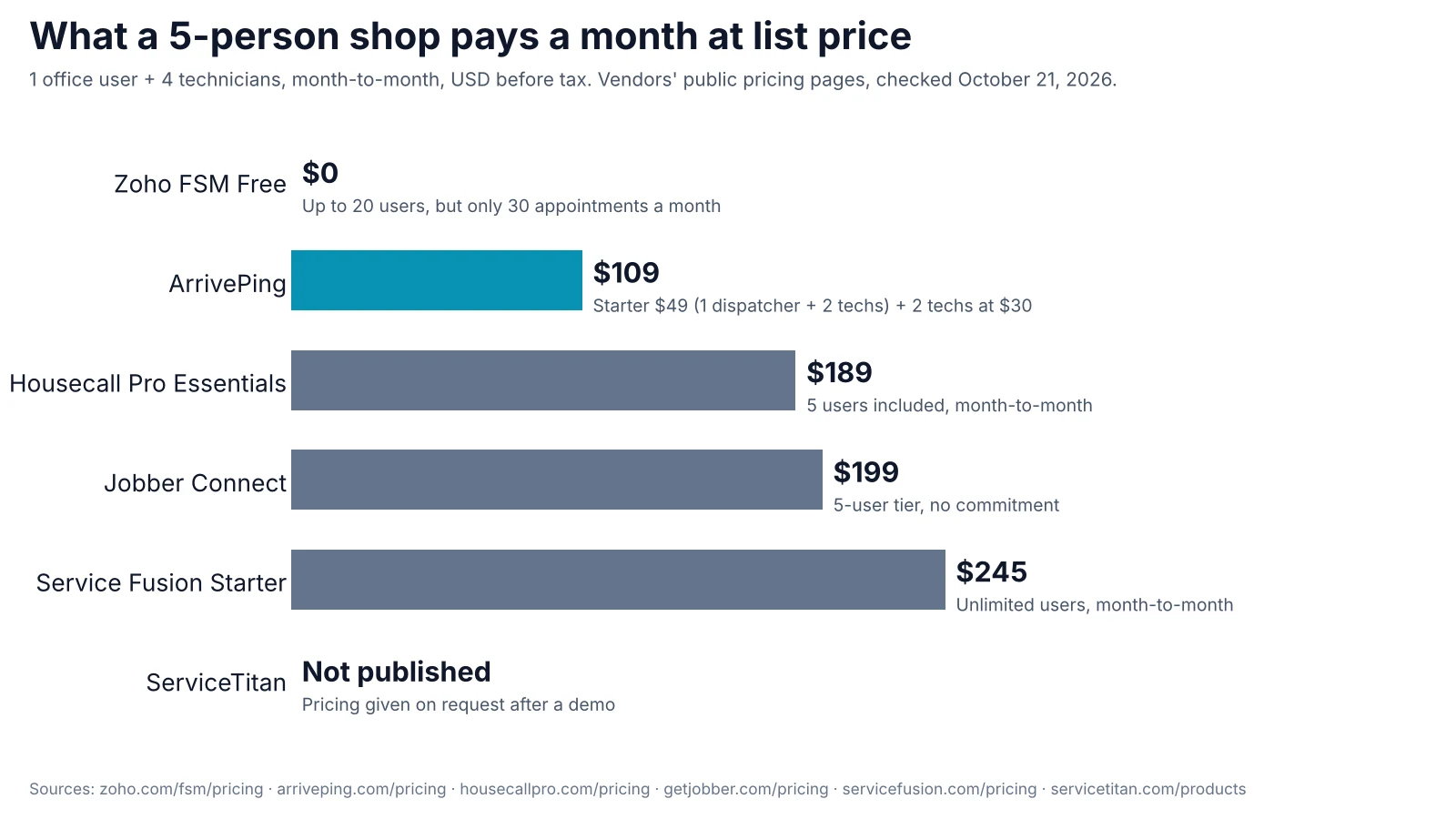
At list price on October 21, 2026, a shop with 1 office user and 4 technicians pays between $109 and $245 a month on the published plans below, and one major vendor doesn't publish a price at all.
| Monthly list price, 1 office + 4 technicians | Price | Pricing model | Free trial or plan | Live tech location: who sees it |
|---|---|---|---|---|
| Zoho FSM Free | $0 | Free tier; paid tiers by appointment volume | Free plan, 30 appointments a month | Not in Free; starts at the paid Standard edition |
| ArrivePing | $109 | $49 Starter (1 dispatcher + 2 techs), then $30 a tech | 30-day free trial | Office map and the customer's tracking page with ETA, from the tech's phone, every plan |
| Housecall Pro Essentials | $189 | Plan with 5 users included | 14-day trial | Office map from techs' phones; the customer's live-map link needs the Vehicle GPS add-on, $20 per vehicle a month |
| Jobber Connect | $199 | Tiers by number of users, $29 per extra user | 14-day trial | Your team's activity in Jobber, "or in real time with tracking device from our fleet partners" |
| Service Fusion Starter | $245 | Flat price, unlimited users | Demo, no trial stated | GPS fleet tracking is an add-on |
| ServiceTitan | Not published | Per technician, on request | Demo | Not compared here |
Sources: Zoho FSM and help; ArrivePing; Housecall Pro and Vehicle GPS Tracking; Jobber; Service Fusion; ServiceTitan. Month-to-month U.S. dollar list prices before tax, promotions and payment fees.
Three things move these numbers. Office staff usually count as users, annual billing is cheaper if you can pay up front (Service Fusion's annual price is "charged as one annual payment at sign-up" (Service Fusion)), and tracking hardware is often extra. For the same comparison at 4, 12 and 28 people, and the fees that only show up after you sign, see How much does field service software cost?
When is ServiceTitan the right choice for a small company?
ServiceTitan is a deep platform for commercial and residential contractors, and its product page lists enterprise, private-equity and franchise solutions alongside add-ons for marketing, a contact centre, pricebooks, fleet, scheduling and dispatch (ServiceTitan). It doesn't publish prices; its demo request asks how many technicians you have and "Do you have at least one full-time office employee?" (ServiceTitan).
It can make sense for a small company that plans to grow fast, runs a full-time office and wants accounting, marketing and call-centre tools in one system from day one. If you're 3 to 10 technicians and the person dispatching is also quoting, invoicing and answering the phone, a product with a published price and a short setup usually gets you to a working schedule faster. For a side-by-side on dispatch, tracking and pricing, see ArrivePing vs. ServiceTitan.
How do I choose field service software in one week?
- Write down last week's problems. Count the "where's the tech?" calls, the jobs reshuffled after a cancellation and the invoices sent late. That's your scorecard.
- Count every login. The owner, anyone who dispatches or answers phones, and every technician, plus the hires you expect this year.
- Shortlist three products that cover the first four rows of the needs table at your headcount. Use the price table above as a starting point, then check each vendor's page; prices change.
- Run real jobs, not a demo. During the trial, book a full day of real work, send the on-my-way texts to your own phone and reschedule two jobs mid-day the way you would on a bad Tuesday.
- Ask each technician one question at the end of the day: what did you have to call the office about? Pick the product that leaves the shortest list.
- Check the exit. Confirm you can export customers, jobs and history (CSV or Excel at least) before you put a year of data in.
How ArrivePing does this
ArrivePing is field service software made by NVC360 in Winnipeg, Manitoba. It began as a tool built for a specialty subcontractor running more than 800 field technicians, and it's built around the part of a small shop's day that goes wrong most: who goes where, when they get there and what the customer is told.
Dispatchers get a live map and a schedule, and ArrivePing can assign each work order to the closest qualified technician, ranked by distance, skills, availability and workload, with a dispatcher able to override any time (dispatch software). Technicians use the iOS or Android app on the phone they already carry, so there's no GPS hardware to buy. When a tech starts driving, the customer gets a text with a live tracking page showing who's coming and the ETA, in every plan (customer notifications). There are pages for HVAC, plumbing and electrical teams.
Pricing is published: $49 a month covers one dispatcher and two technicians, and technicians 3 to 29 are $30 each, so 1 dispatcher and 4 techs is $109 a month (pricing). There's no contract, and the 30-day free trial includes as many users as you like; a card goes on file and nothing is charged until day 30. An AI setup agent builds your workspace from your website, and most teams dispatch their first job within an hour. Your data exports as CSV, Excel, PDF or JSON, and connects through webhooks, Zapier, Make or an MCP server for AI agents.
When ArrivePing isn't the right fit: if your shop runs fewer than about 30 jobs a month, a free plan may be enough for now. If you want quoting, a pricebook, marketing campaigns and accounting in one system, an all-in-one product such as Jobber, Housecall Pro or ServiceTitan covers more of that. ArrivePing is billed monthly only, so vendors with annual plans can cost less if you pay a year up front.
FAQ
What is the best field service software for a small HVAC business?
The best fit is the product that solves your scheduling, dispatch and customer-update problems at your headcount and price. For a 3 to 10 technician HVAC shop, require a dispatch board, a technician app, a live map and on-my-way texts with an ETA, then compare published prices for your exact team. Test the shortlist with a full day of real jobs during the free trial.
Is there free field service management software?
Yes. Zoho FSM has a free plan with up to 20 users but only 30 appointments a month, and Connecteam's Small Business plan is free for up to 10 employees but is a general workforce app rather than a dispatch tool. Free plans suit very low job volumes; a shop running a few calls per technician per day will outgrow a 30-appointment cap within days.
How much does field service software cost for a small business?
For a shop with 1 office user and 4 technicians, published month-to-month list prices on October 21, 2026 ran from $109 (ArrivePing) to $245 (Service Fusion Starter), with Housecall Pro Essentials at $189 and Jobber Connect at $199. ServiceTitan doesn't publish prices. Check who counts as a user and whether tracking is an add-on before comparing.
What's a cheaper alternative to ServiceTitan for a small company?
Products with published pricing and a free trial are the easiest to compare: Jobber, Housecall Pro, Service Fusion and ArrivePing all publish prices. ArrivePing includes automatic dispatch by distance and skill and live customer tracking in every plan from $49 a month. ServiceTitan remains a strong choice for larger contractors that want accounting, marketing and call-centre tools in one system.
Do I need GPS trackers in my vans to see where my technicians are?
Not necessarily. Several products, including Housecall Pro's Essentials plan and ArrivePing, locate technicians through the GPS in their phones with no hardware. Vehicle trackers make sense if you need to track the van itself, for example for theft recovery or engine data; see phone vs. vehicle GPS tracking.
Sources
- U.S. Census Bureau. "2023 County Business Patterns" (national file cbp23us, NAICS 238220 and 238210, establishments by employment size). https://www.census.gov/data/datasets/2023/econ/cbp/2023-cbp.html
- Salesforce. "Right Tech, Right Tools, Right Time: How to Fix Your Field Service Scheduling." April 15, 2025. https://www.salesforce.com/blog/field-service-scheduling/
- Housecall Pro. "Home Service Customer Service Report: Trends & Statistics" (survey of 1,040 U.S. homeowners, October 23, 2025). https://www.housecallpro.com/resources/home-service-customer-service-report-trends-statistics/
- Zoho. "Zoho FSM Editions and Pricing." Checked October 21, 2026. https://www.zoho.com/fsm/pricing.html
- Zoho. "Live Tracking of Agent Location" (Zoho FSM help; available in Standard, Professional and Premium). Checked October 21, 2026. https://help.zoho.com/portal/en/kb/fsm/mobilize-your-workforce/articles/live-tracking-of-technician-location
- Connecteam. "Small Business Plan." Checked October 21, 2026. https://connecteam.com/small-business-plan/
- Jobber. "Pricing." Checked October 21, 2026. https://www.getjobber.com/pricing/
- Housecall Pro. "Pricing." Checked October 21, 2026. https://housecallpro.com/pricing/
- Housecall Pro. "Vehicle GPS Tracking." Checked October 21, 2026. https://www.housecallpro.com/features/vehicle-gps-tracking/
- Service Fusion. "Pricing." Checked October 21, 2026. https://www.servicefusion.com/pricing
- ServiceTitan. "ServiceTitan Product Offerings." Checked October 21, 2026. https://www.servicetitan.com/products