

Field service software for trades
See every tech. Assign every job. Update every customer.
ArrivePing puts your crew on a live map, sends the right tech to each work order, and texts your customers a live ETA so they never have to call.
- No GPS hardwareRuns on the phones your team carries
- Live in under an hourTypical, with an AI agent doing the setup
- Minimal trainingAccept, Start Driving, I've Arrived, Complete Job
- From US$49 a month1 dispatcher + 2 drivers
Free for 30 days with as many users as you like. Nothing is charged until day 30, and you can cancel any time.
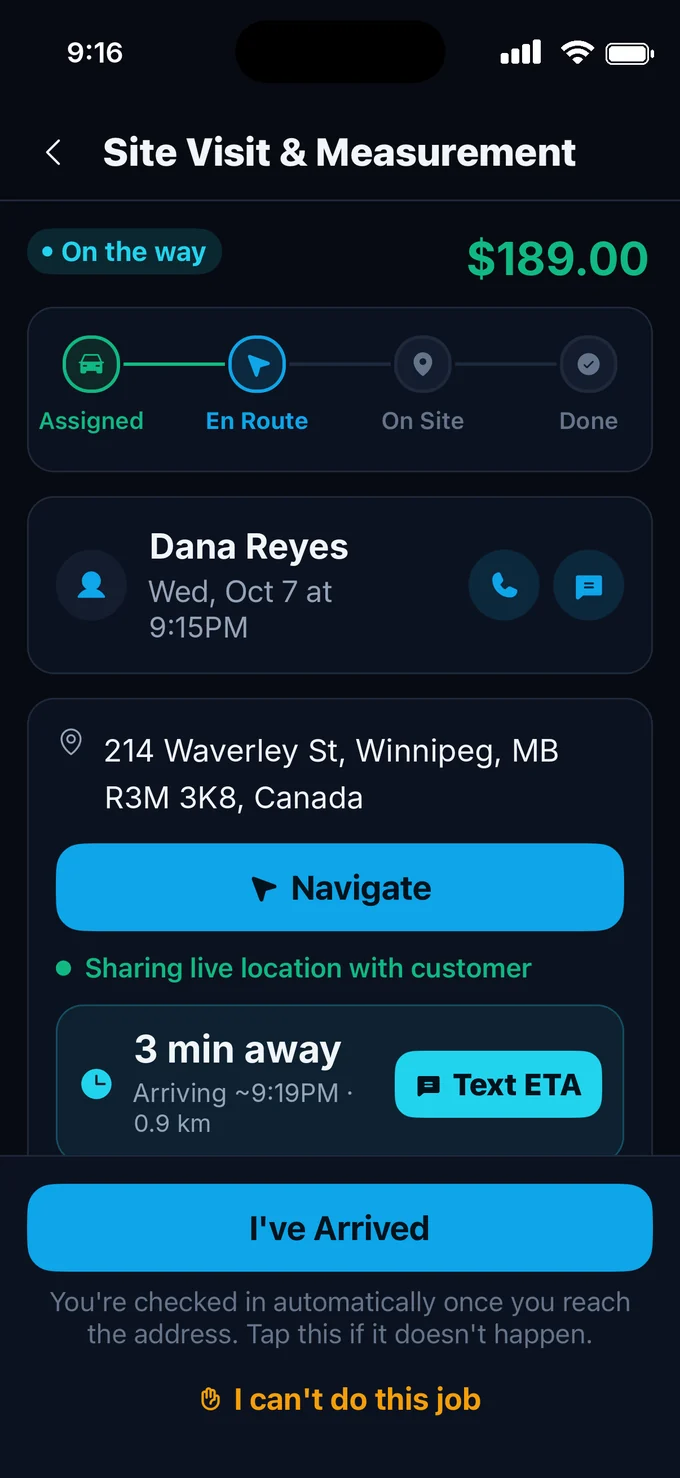
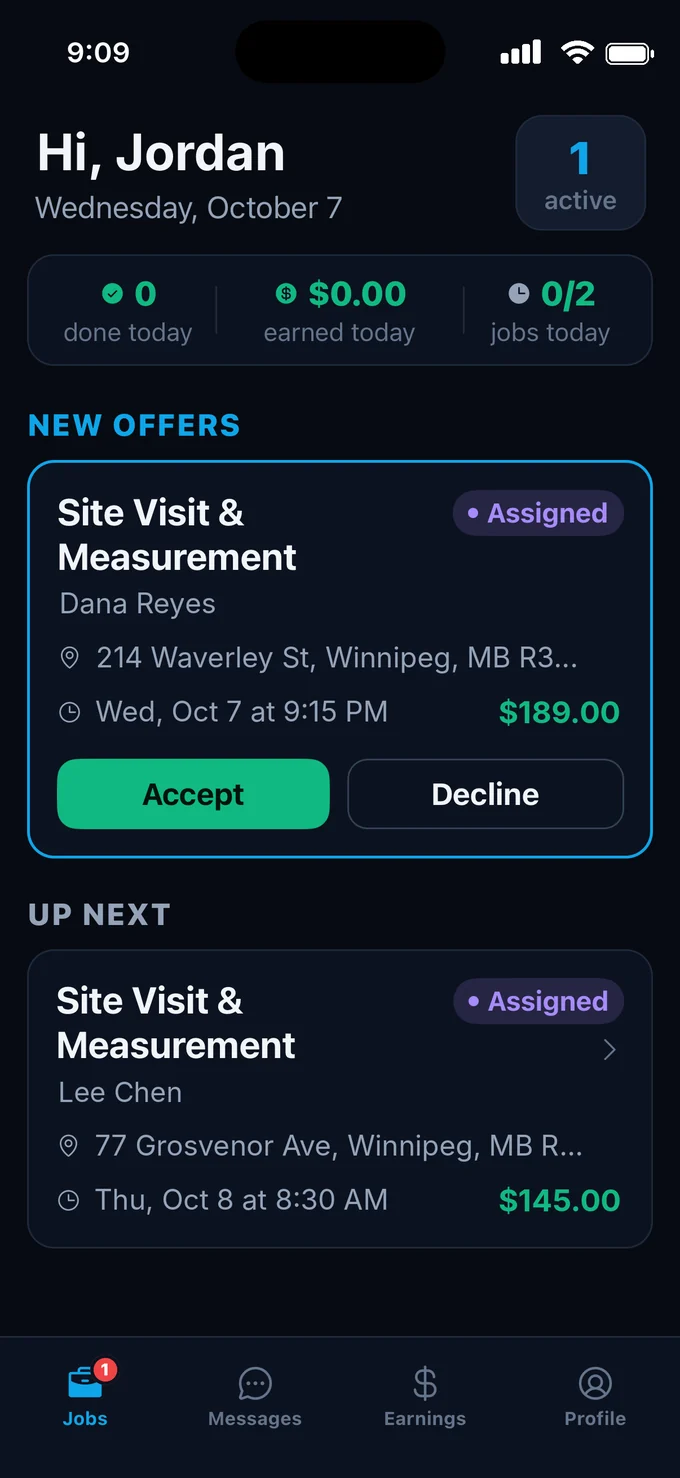
Your technicians use the ArrivePing app for iPhone and iPad.
Prairie Comfort HVAC: Your technician Jordan Park is on the way! ETA ~3 min. Track live, see ETA & message them: https://arriveping.com/t/7k2q9x
No more “Where’s my tech?” calls. No app, no account, no phone tag.
The moment your technician taps Start Driving, your customer gets a text with a link to a live page: who's coming, an ETA that updates as they drive, and one-tap text or call.
Location appears only after the technician starts driving to that job, and disappears the moment they arrive.
Text message from +1 (204) 555-0142: Prairie Comfort HVAC: Your technician Jordan Park is on the way! ETA ~3 min. Track live, see ETA & message them: https://arriveping.com/t/7k2q9x
1The textSent the moment they set off
Your company name, the technician's name and a live link, plus the ETA once it's known. Nothing to install.
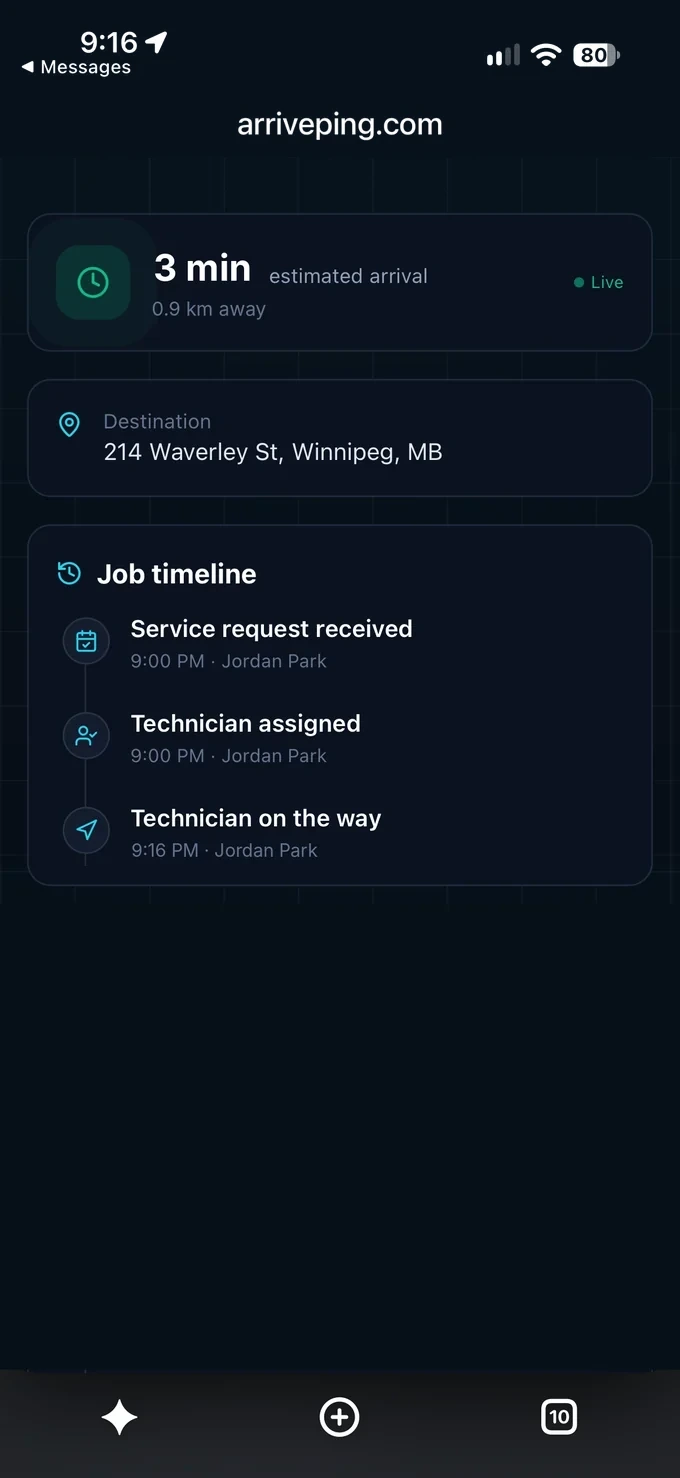 2The live page
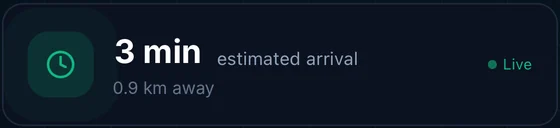
An ETA, not a four-hour window
Opens in any phone browser and updates as the technician drives.
 3The technician
Reach the technician directly
One tap to call or text. Messages sent on the page stay with the job, so the office sees them too.
The text is ArrivePing's default on-the-way wording; the setup agent can rewrite it in your voice. Both pages are real ArrivePing screens with a sample company, people and job.
Why homeowners care
Customers have wanted this for 12 years. ArrivePing makes it easy, quick and inexpensive.
- 89%of consumers want to see their technician coming, with a live arrival timeCSG survey of 400 U.S. consumers, 2014 (opens in a new tab)
- 74%check a text within five minutes of getting itSimpleTexting survey of 1,000 U.S. consumers, 2026 (opens in a new tab)
- 70%would recommend a company just because the appointment was on timeIBOPE Zogby for TOA Technologies, 1,026 U.S. adults, 2011 (opens in a new tab)
From work order to front door, live.
Follow one urgent no-heat call from the moment it's booked to the moment the technician pulls up.
Real ArrivePing map of River Heights, Winnipeg · sample company, people and times
Accept. Drive. Arrive. Done. That's the training.
The job lands on the phone your technician already carries, with the address, notes, time and price. There's nothing to install in the van.
- No GPS devicesLocation comes from the technician app, so there's no tracker to buy or wire in.
- Off the clock means offTechnicians share their location only while they're on the clock.
Paste your website. Dispatch within the hour.
Nobody has to learn setup, and nobody has to chase it. The ArrivePing agent reads your website the way a new hire would, then builds your workspace in about two minutes. You check it, invite your team and send your first job.

- Reading bluestemplumbing.ca: home, services, area, about, team and contact pages.
- Whose site is this? Bluestem Plumbing & Drain. That's their logo.
- Brand colours? Deep blue and amber.
- Where are they? 88 Kettle Way. They serve Winnipeg, East St. Paul and Headingley.
- What are they? A plumber: licensed plumbers, drains and water heaters.
- What do they call things? Their people are plumbers. The work is jobs.
- What do they sell? 8 services. Loading a priced starter catalog for their trade.
- Who works there? Jordan, Kim and Sam. I'll ask before inviting anyone.
- Bleeding the lines so nothing's stuck in the pipes…
- Job templates, intake forms and customer texts, written in their words.
- Workspace ready. Next: a short setup chat, then invite the team.
Then the rest of the first hour.
- 0 minPaste your websiteThe only form you fill in.
- 2 minWorkspace builtBrand, services, priced catalog, job templates, intake forms and customer texts.
- 15 minShort setup chatThe agent asks 5–10 questions about your team, jobs and pricing, then tunes everything.
- 25 minTeam invitedYour people get a text to join and use the phone they already carry.
- 40 minBring your dataImport customers and technicians from a spreadsheet.
- < 60 minFirst job dispatchedYour customer gets a text and a live ETA.
Typical first hour. Times vary with team size and how much data you bring.
Run the whole day from one board. Plan, assign, track and communicate.
The office sees every job, every technician and every customer update in one place, and the board keeps itself current as technicians tap through their day.
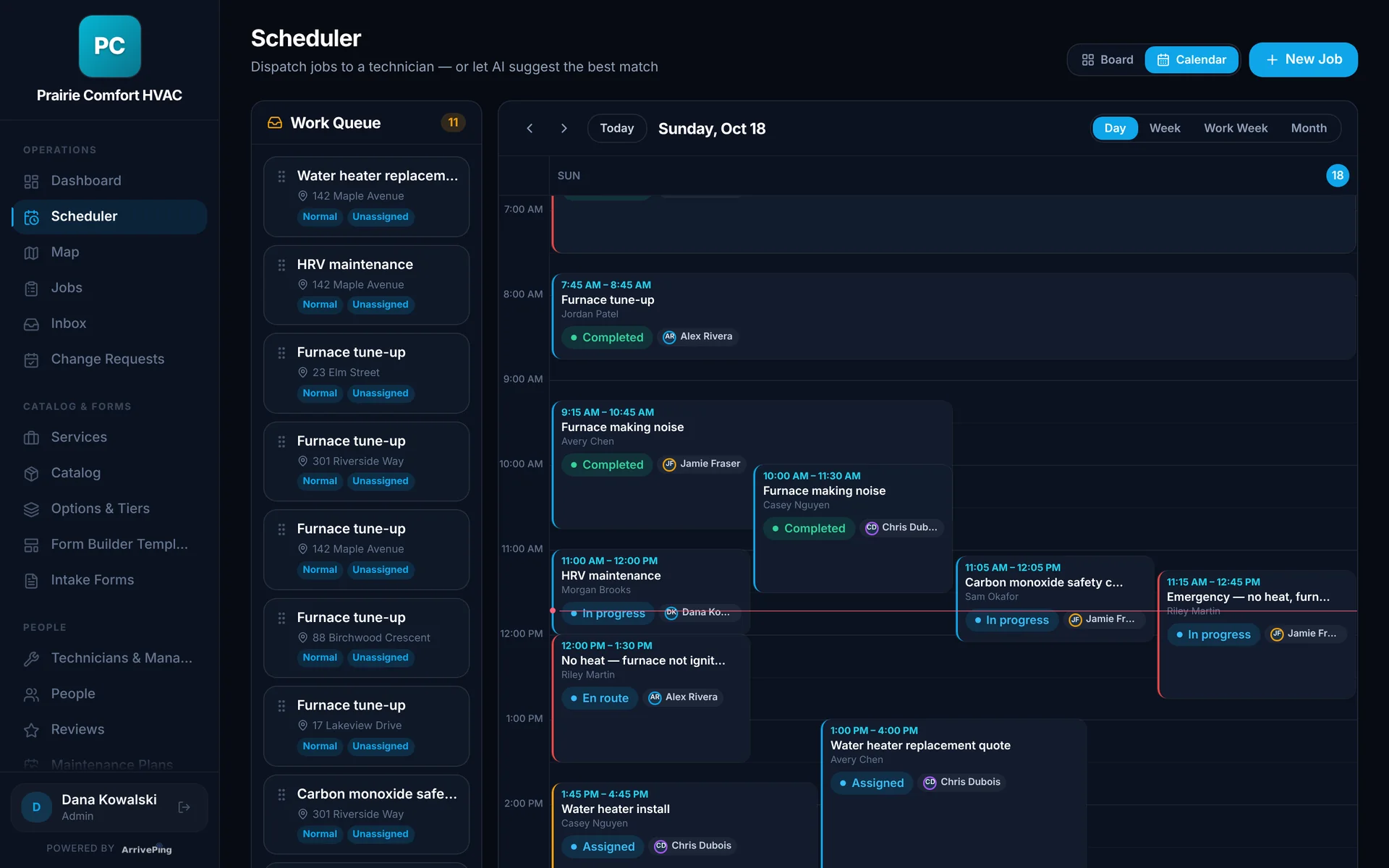
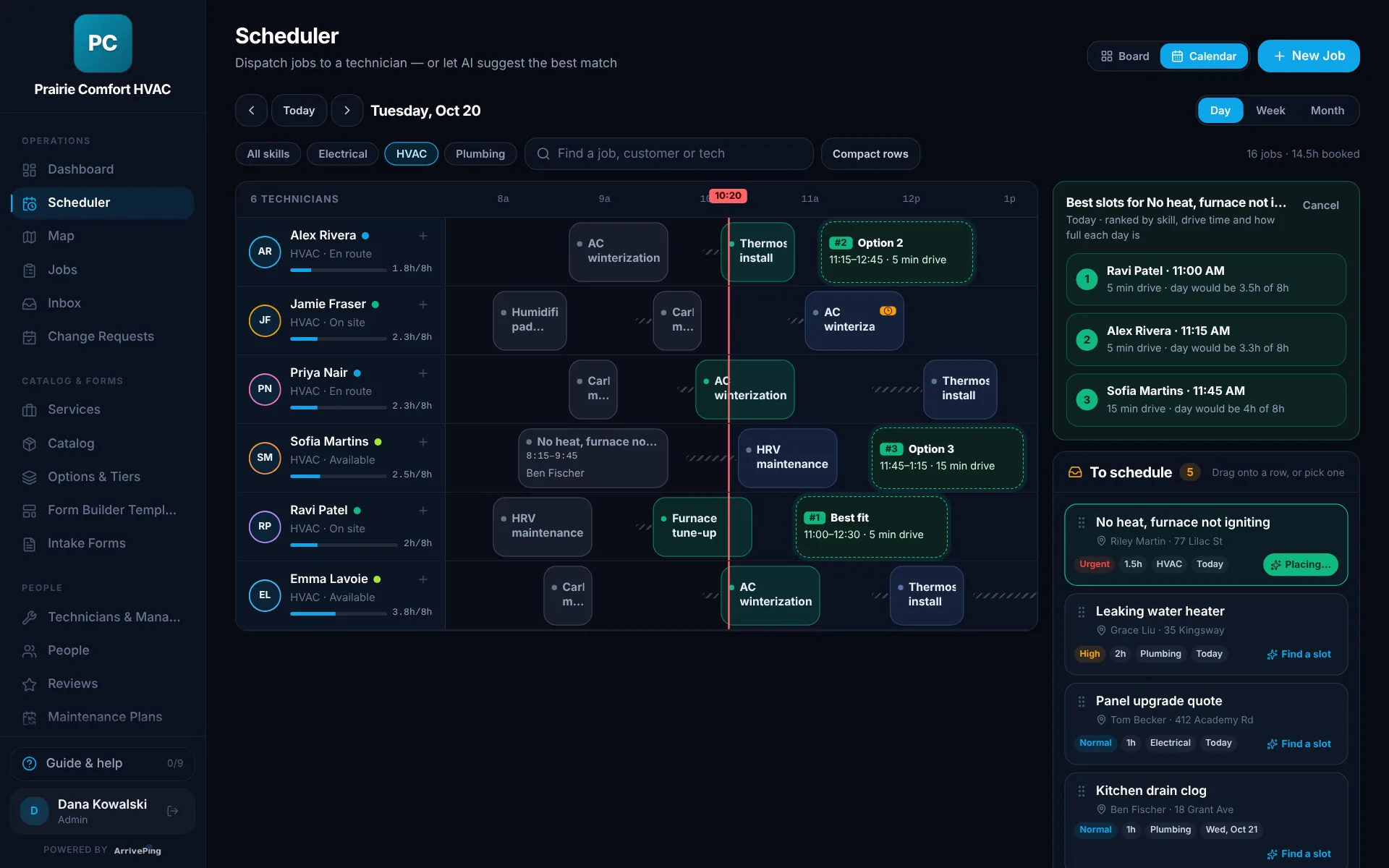
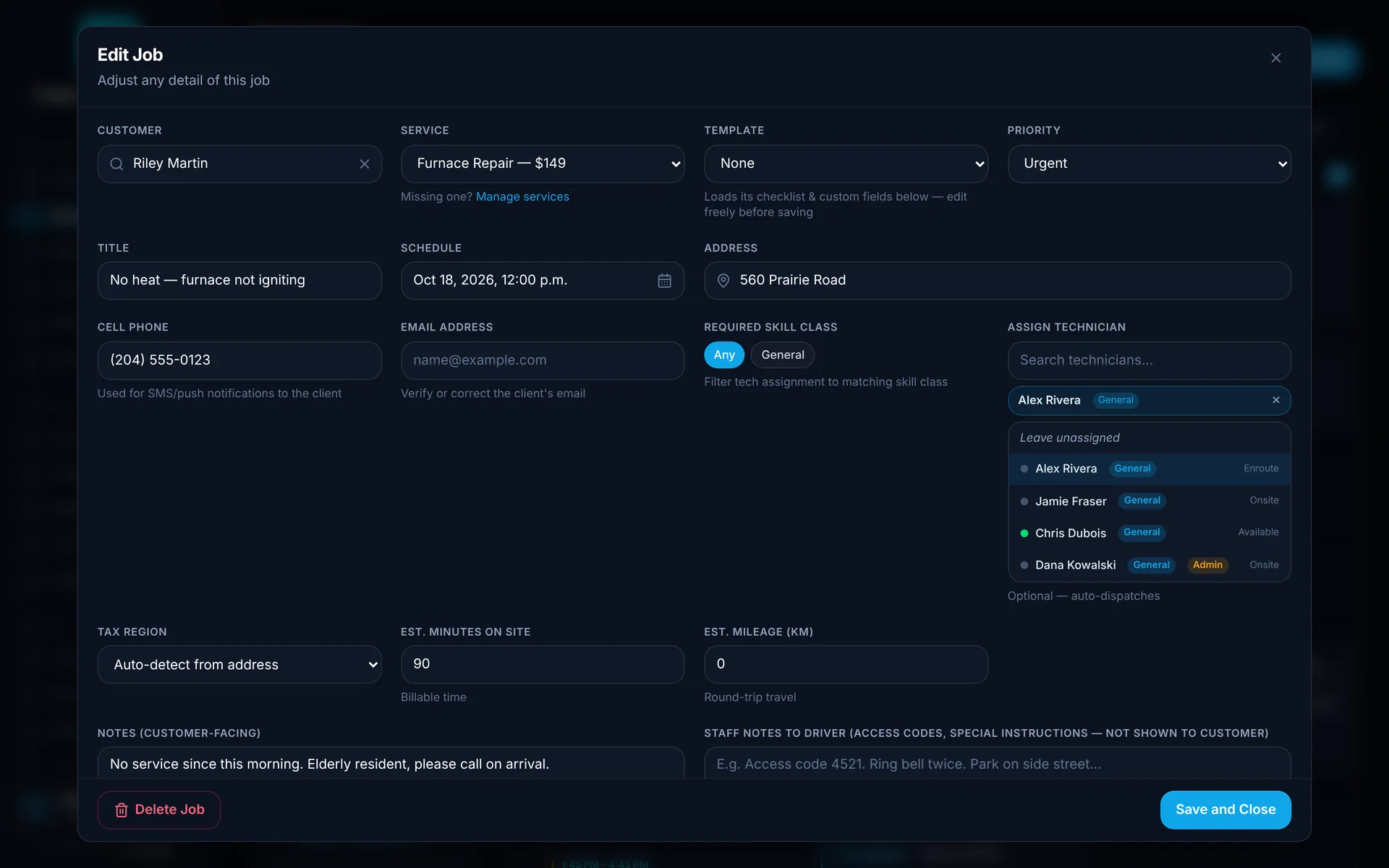
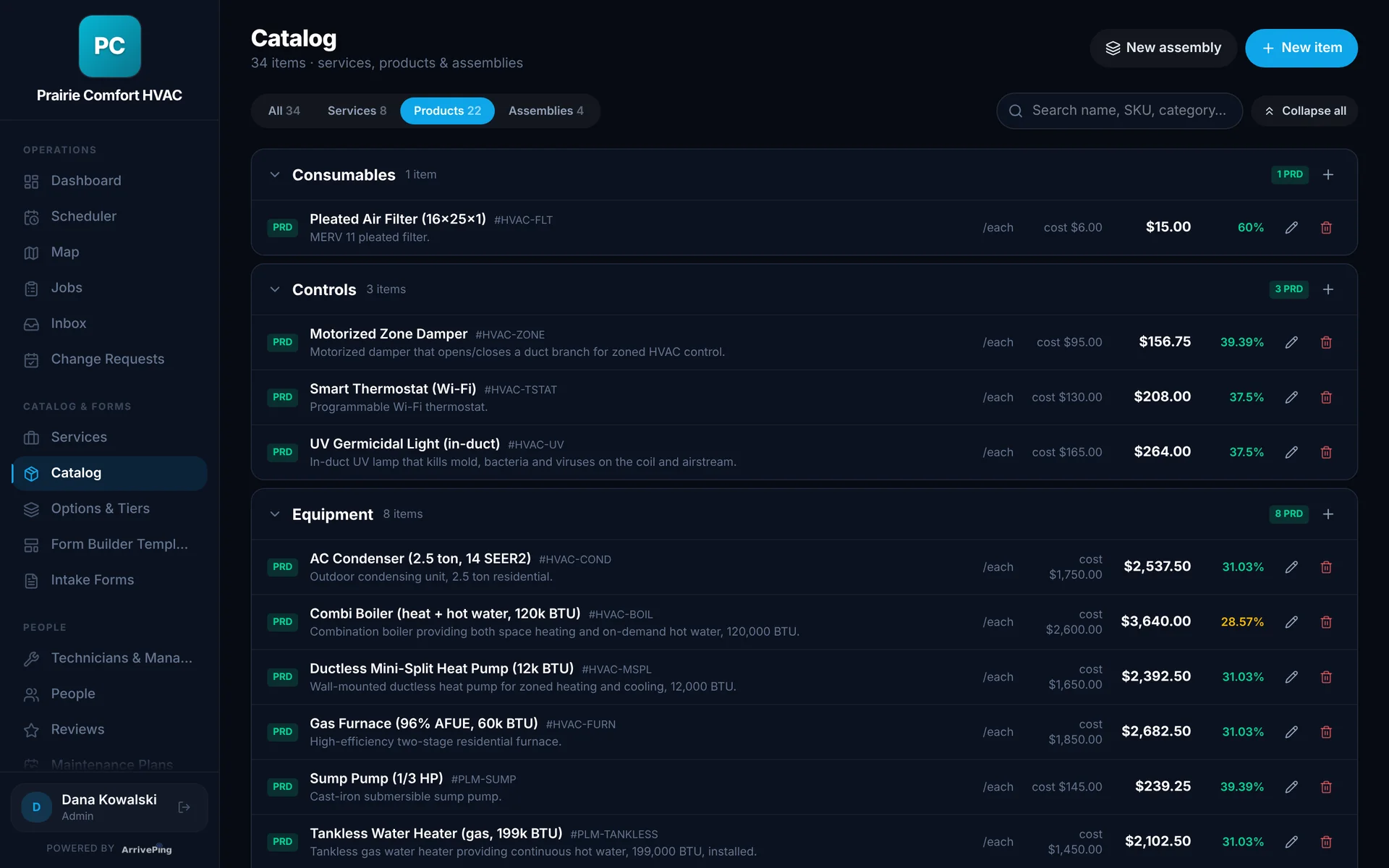
Plan with visibility.
- Scheduler with day, week and month views
- A work queue of unassigned jobs to drag onto a technician
- Online booking forms that land as jobs
- Job templates with checklist items you can make required
Assign and track.
- Best-technician suggestions by distance, skills, availability and workload
- Auto-assign rules when you want them: nearest, least busy or by zone
- A live map of who's on the way and who's on site
- Arrival logged automatically at the address
Communicate.
- On-the-way texts with a live tracking link
- Running-late notices that go out if a job slips
- Customers reschedule online, within the cutoff you set
- One inbox for customer and technician messages, kept with each job
Your words and your fields: call them jobs, visits or deliveries, add the fields you track, and give admins, dispatchers and field staff the access they need.
Keep the tools you use. We'll connect the rest.
ArrivePing runs scheduling, dispatch, tracking and customer updates. Your accounting, payroll and CRM stay where they are, and your data moves in and out whenever you need it.
Zapier and Make
Send job events (created, assigned, on the way, arrived, completed and more) on to thousands of apps.
Webhooks
Post the same events to your own systems, with a shared-secret header and a test ping.
Calendar feeds
Subscribe in Google Calendar, Outlook or Apple Calendar. Technicians see only their own jobs.
Stripe payments
Connect your own Stripe account and customers pay their invoices by card. ArrivePing takes no cut.
Spreadsheets in and out
Import customers and technicians from CSV or Excel. Export jobs, customers and invoices to CSV, Excel, JSON or PDF.
AI agents (MCP)
Let an AI assistant look up, create and assign jobs through ArrivePing's MCP server. Keys from our team on request.
Reporting is built in. Filter it, sort it, take it anywhere.
Eight reports come with every plan: revenue, technician performance, job status, payroll, catalog margin, clients, invoices and zones. Download exactly what's on screen, or your full records, in a format your other tools already read.
- CSV
- Excel (.xlsx)
- JSON
Open them in Excel or Google Sheets, or load them into your accounting, payroll or BI tools.

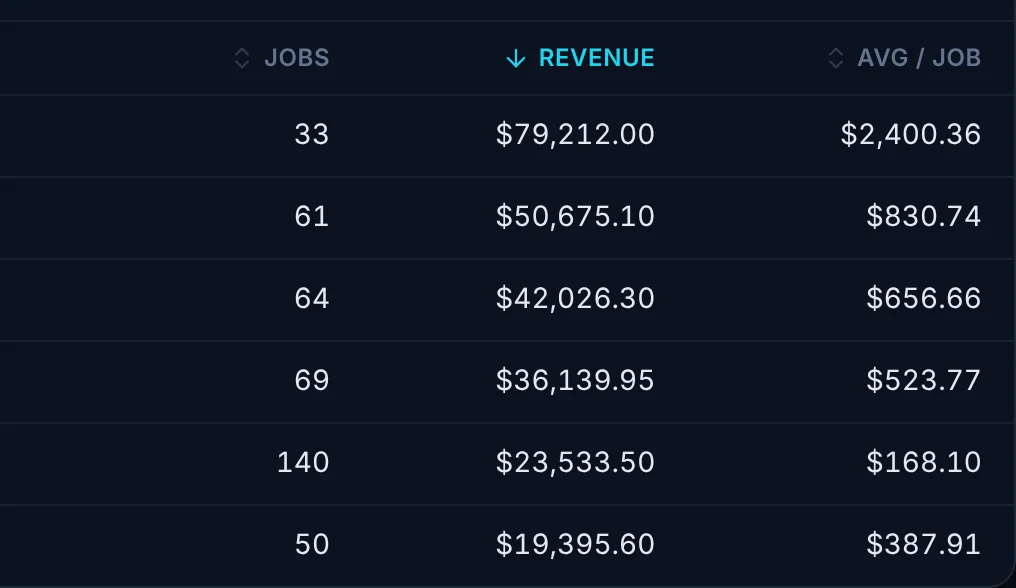
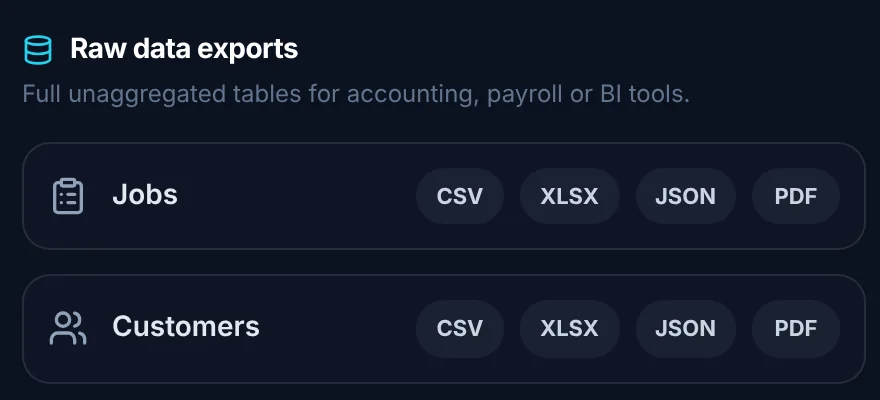
- 1FilterLast 7, 30 or 90 days, year to date, 12 months or any dates you pick, by technician and by status.
- 2ExportDownload the report on screen as CSV, Excel, JSON or PDF, with your filters and sort applied.
- 3SortClick any column heading to sort it, and click again to reverse. Exports keep the same order.
- 4Raw dataDownload every job, technician, customer and invoice as CSV, Excel, JSON or PDF.
Real ArrivePing screen · sample company and data
Custom integrations are welcome.
Running something we don't connect to yet, like an ERP, a CRM, telematics or your own software? Tell us. We've built two-way integrations with customers' own systems, and we'll scope yours with you.
- Available on every plan
- Included with Fleet (30+ drivers)
- QuickBooks and Xero are on our roadmap
Built for teams that work at the customer's door.
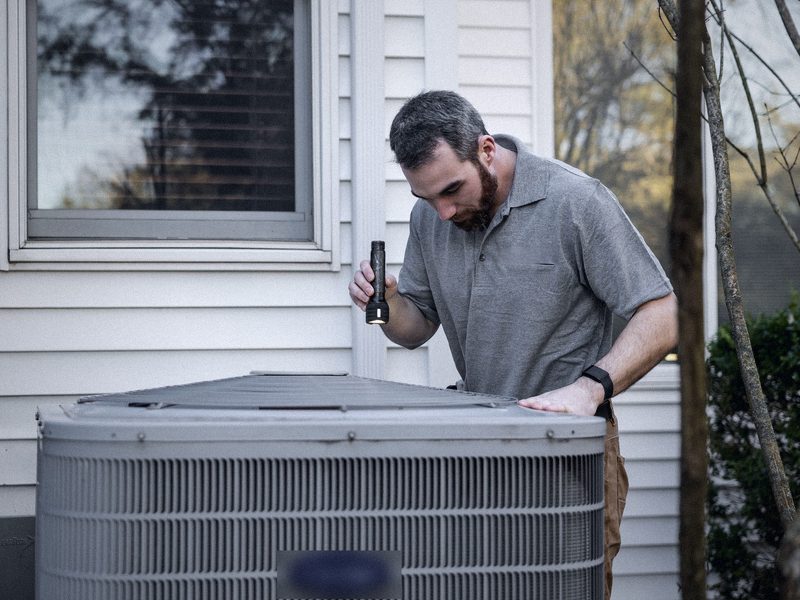
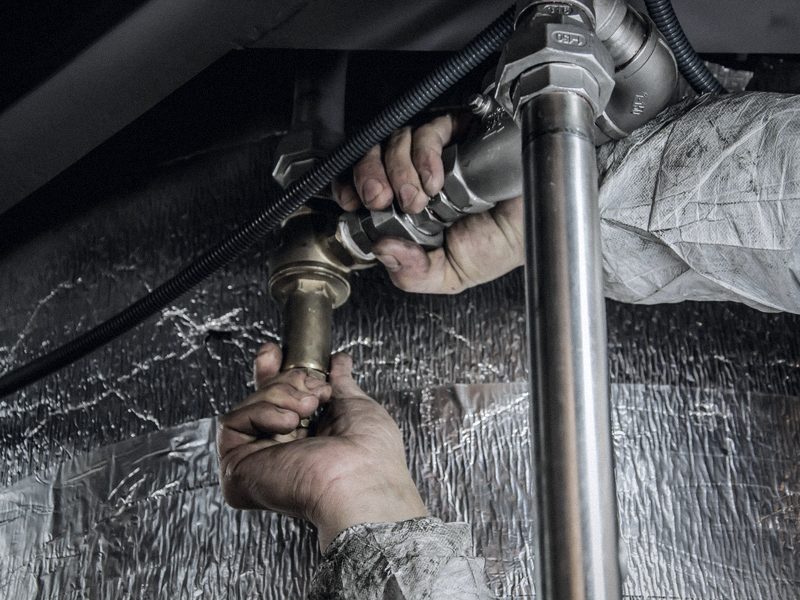
Pick your trade to see how ArrivePing runs a real day of it.



Start free. Then from US$49 a month.
Every plan includes the dispatch board, the technician app, live customer tracking and the AI setup. Add a driver and you pay for one more driver, nothing else. A second dispatcher or a manager is priced the same as a driver.
- $0 for 30 days, as many users as you like
- Cancel before day 30 and pay nothing
- No setup fee, no contract
- Billed monthly
- No GPS hardware to buy
- Workflow set up for how your team works
- Catalog pre-loaded with your services and parts
- Operating the same day
- Everything in Starter
- 1 dispatcher license included
- One simple rate for drivers 3–29
- Extra dispatchers or managers at the driver rate
- Everything in Growing team
- 1 dispatcher license included
- Custom integrations included
- Live onboarding with our team
Need a custom integration on Starter or Growing team? It's welcome. See integrations
All prices in US dollars, billed monthly. Every plan includes one dispatcher license; each extra office user (a second dispatcher or a manager) is a license priced like a driver. Live tracking is in every plan, with no hardware and no upgrade.
Questions we hear before every signup
Do customers need to install an app?
No. When the technician starts driving, the customer gets a text with a link that opens a live page in their browser: who's coming, an ETA that updates as they drive, and buttons to call, text or message the technician. There's no account to create.
What do technicians use?
The ArrivePing app on the phone they already carry. A job comes in as an offer they accept, then they tap Start Driving, I've Arrived and Complete Job. With the job open, arrival is logged automatically within 150 m of the address by default, and the button is the backup.
What can customers see about a technician's location?
Only the technician's progress toward their own appointment, from the moment the technician starts driving to it. It disappears when they arrive. Technicians share their location only while they're on the clock.
How long does setup take?
The setup agent reads your website and builds your workspace in minutes: your brand, services, a priced catalog, job templates, booking forms and customer texts. After a short setup chat you invite your team and import customers from a spreadsheet. A typical first hour ends with your first job dispatched.
Does it work with the software we already use?
Yes. Job events go to Zapier, Make or your own webhook; calendars subscribe in Google, Outlook or Apple; customers and technicians import from CSV or Excel; jobs, customers and invoices export to CSV, Excel or PDF; and payments run through your own Stripe account. Custom integrations are welcome on every plan and included with Fleet. QuickBooks and Xero are on our roadmap.
Can we bring over our existing customers and technicians?
Yes, all at once. Upload the CSV or Excel file you already have, from your old software or your own spreadsheet, or download our template, fill it in and upload it. New customers aren't contacted when they're imported, and technicians get an email to set their password. Prefer not to do it yourself? Send us the file and we'll import it for you.
Does it replace our scheduling or invoicing tools?
It can. ArrivePing includes scheduling, dispatch, work orders with your own fields, and an invoice for every job that customers can pay by card once you connect Stripe. Many teams keep their accounting and payroll software and use ArrivePing for the day's work and customer updates.
How is it priced?
In US dollars, billed monthly. Starter is $49 a month for one dispatcher and two drivers, and every company starts with that same package. Drivers 3–29 are $30 each, and every driver from 30 on is $25. Each rate applies only to the drivers in its band, so adding a driver never makes your bill jump. Need a second dispatcher or a manager? Each extra office user is a license priced like a driver, and you choose whether it has dispatch or manager permissions. Live tracking, the technician app and the AI setup are in every plan.
Is there a contract, setup fee or hardware cost?
No. There's no setup fee, no contract and no GPS hardware; you're billed monthly and can cancel any time. The 30-day free trial needs a card on file, but nothing is charged until day 30, and if you cancel before then you pay nothing.
Can we use our own wording in texts and in the app?
Yes. Call your work jobs, visits or deliveries and your people technicians, crews or drivers, and ArrivePing uses your words everywhere, including customer texts. The setup agent drafts your messages in your voice, and you can edit any of them.
Is ArrivePing available in Canada?
Yes. ArrivePing is built in Winnipeg, Manitoba and is available in Canada and the United States. Prices are in US dollars.
We didn't build this in a lab. We built it in the field.
ArrivePing began as software built for National Interiors, a specialty subcontracting operation that ran more than 800 field technicians. We lived the friction firsthand — dispatchers tied to the phone, customers demanding updates, routes that didn't add up, margin lost in every communication gap. We looked for a platform that fixed it. It didn't exist, so we built one. After National Interiors was sold in 2021, we founded NVC360 to rebuild that tool as a multi-tenant platform. ArrivePing is the result, and we're making it available to every field service team facing the same problem.
“800+ technicians. One lesson learned: your customers' time is your reputation.”ArrivePing / NVC360 founding team, Winnipeg, MB
Hours lost each year to appointment waits, repeat trips, rework and phone tag
ArrivePing research estimateLower field labour costs at National Interiors with the system ArrivePing grew from
National Interiors, early 2020sField technicians run by our team before ArrivePing was built

Dispatch your first job today.
Sign up, paste your website and the setup agent builds your workspace while you watch. Free for 30 days, then from US$49 a month.
- Sign upNo sales call and no demo to book.
- Paste your websiteThe agent builds your brand, services, catalog, job templates and customer texts.
- Invite your teamTechnicians join from a text on the phone they already carry.
Moving from another system or need a custom integration? [email protected]
Start your 30-day free trial
- As many users as you like, for the whole trial
- Card on file, $0 until day 30
- Cancel before day 30 and you're never billed
- Then from US$49 a month: 1 dispatcher + 2 drivers
No setup fee, no contract, no GPS hardware.